
Key Takeaways
- On July 23, 2026, OpenAI rolled out ChatGPT Voice inside its desktop app for macOS and Windows, available to the Plus, Pro, Business, Edu, and Enterprise plans. It is powered by GPT-Live, so it can speak, listen, and coordinate work at the same time.
- The headline is control. You can now talk to ChatGPT to control your computer and direct multiple agents running in ChatGPT Work or Codex, starting, checking, and steering work in other threads by voice.
- It leans on OpenAI's Computer Use, local files, and plugins, and on Mac it adds Appshots, which lets ChatGPT reference the app window you have in focus for better context.
- The honest limit is that this all lives inside ChatGPT. It is superb at directing ChatGPT's own agents, but most of your day happens in Gmail, Slack, Notion, your browser, and your editor, not in one chat window.
- The bigger story is that voice is becoming a primary way to operate a computer. A system-wide voice layer like VoiceOS takes the same idea across every app you already use on Mac and Windows, not just inside one app.
What OpenAI just shipped
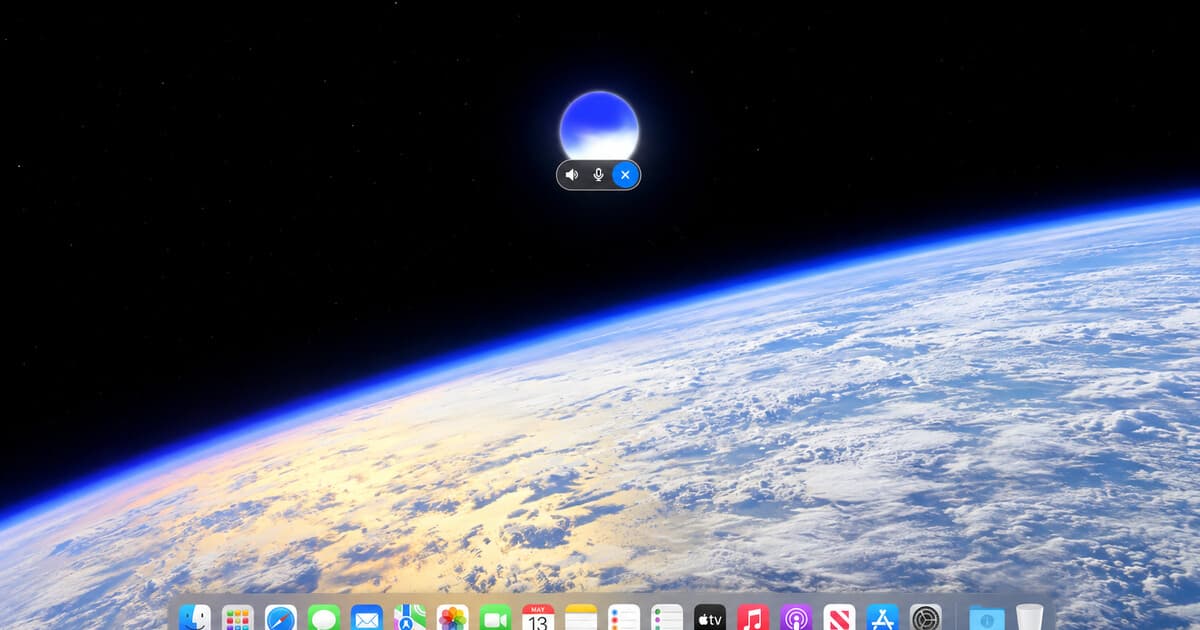
On July 23, 2026, OpenAI announced that ChatGPT Voice is now in the desktop app. In OpenAI's words, you can "control your computer and direct multiple agents running in ChatGPT Work or Codex, using just your voice." It is rolling out globally the same day on macOS and Windows to the Plus, Pro, Business, Edu, and Enterprise plans.
The engine is GPT-Live, the full-duplex voice OpenAI launched two weeks earlier. Because GPT-Live can speak, listen, and coordinate work in the app at the same time, the desktop experience is less "press a button and wait for a reply" and more "keep talking while things happen." You can start a new chat or task in voice mode, then ask ChatGPT to start, check, or steer work running in other threads.
Under the hood it plugs into pieces OpenAI already shipped: Computer Use for taking actions on screen, access to local files, and ChatGPT plugins. On the Mac there is one extra capability called Appshots, which lets ChatGPT reference the app window you currently have in focus, so it has real context about what you are looking at when you talk to it.
Here is the announcement, straight from OpenAI:
What it means to control your computer by voice
The phrase "control your computer with your voice" has been a science-fiction promise for decades. What makes this launch notable is the second half of OpenAI's sentence: directing multiple agents at once. This is not just dictation, and it is not a single assistant answering a single question. It is a voice conductor for a small team of AI workers.
In practice, that looks like opening ChatGPT Voice on your desktop, kicking off a research task in one ChatGPT Work thread and a coding task in a Codex thread, then talking to coordinate them. You can ask for a status check on one, redirect another, and start a third, all without touching the keyboard. GPT-Live's full-duplex design is what makes that feel like managing people rather than filling out a form.
On Mac, Appshots pulls the window you are looking at into that conversation, so "summarize what's on my screen" or "use this doc" actually means something. Combined with Computer Use, ChatGPT can also take real steps on your machine. The result is the closest OpenAI has come to a talk-to-your-computer experience, and it is a genuine milestone for voice as an interface.
ChatGPT Voice on desktop vs. a system-wide voice layer
So does ChatGPT Voice on the desktop replace every other way of talking to your computer? Not quite, and the difference is worth understanding before you decide how to work by voice. It comes down to where the voice lives and what it is allowed to touch.
ChatGPT Voice is a powerful voice inside the ChatGPT app. It shines when the work is happening in ChatGPT's own agents, Work and Codex. A system-wide voice layer takes the opposite approach: it sits on top of your whole operating system and works in every app you already use, so your voice is not confined to one window. Here is how the two compare.
ChatGPT Voice on desktop
VoiceOS — system-wide voice layer
Where it runs
Inside the ChatGPT desktop app. On Mac it can reference the window in focus via Appshots.
System-wide across every app and text field, on Mac and Windows.
What it controls
ChatGPT's own agents (Work and Codex) and Computer Use, inside ChatGPT.
The apps you already use — Gmail, Slack, Calendar, your browser, your editor — with a confirmation step before anything important.
Writing and editing text
You dictate into ChatGPT's conversation and tasks.
Dictate and rewrite text directly wherever your cursor is, matched to the tone of the app.
Platforms
macOS and Windows.
macOS and Windows.
Access
Paid ChatGPT plans: Plus, Pro, Business, Edu, and Enterprise.
A dedicated voice app you can download and start speaking with today.
Voice is becoming the operating system
Step back from the specific features and the direction is unmistakable. When the largest AI company puts voice at the center of its desktop app and frames it as a way to control your computer and run agents, it is making the same bet we have been writing about for a year: talking is becoming a primary way to operate a machine, alongside the keyboard and mouse.
Every major shift in computing has moved the interface closer to human intent. The command line let us type exact instructions. The graphical interface let us point and click. Touch let us use our fingers. Voice is the natural next layer, because talking is the most human interface there is, and AI is finally good enough to understand what we mean rather than only the words we say.
That is why this launch matters beyond ChatGPT. It is a very public signal that the industry is converging on voice as an operating layer, not a novelty. The question is no longer whether you will talk to your computer. It is which voice will be there, in every app, all day, when you do.
The honest limit: one app vs. everywhere you work
Here is the catch, and it is the same one that applies to any assistant that lives inside a single app. ChatGPT Voice on the desktop is spectacular at directing ChatGPT's agents. But most of your work does not happen inside ChatGPT. It happens in Gmail, Slack, Notion, your browser, your calendar, and your code editor, and it involves doing things in those apps, not just talking about them in a chat window.
A great voice inside one app is a great chatbot. A voice that works everywhere, that can type into any field, rewrite the text you already have, read what is on your screen, and take real actions across your apps, is closer to an operating system. That is the difference between talking to a computer and getting your computer to do the work in the tools you already live in.
This is exactly the line between dictation, voice agents, and a true voice layer that we have broken down before. OpenAI's launch makes the desktop conversation feel powerful. The next question is what that voice can do across everything you already use, without asking you to move your work into one company's app.
Where VoiceOS fits
VoiceOS is that system-wide voice layer for your Mac and Windows computer. It is not trapped inside one app. You press your trigger, speak naturally, and VoiceOS turns your words into the right output wherever your cursor is: a polished Slack message, a clean email, or a prompt to another AI tool, all in the tone of the app you are in.
It also goes past talking into doing. With Agent Mode you can ask about what is on your screen, reshape text you already wrote, and take real actions across connected apps like Gmail, Slack, and Google Calendar, with a confirmation step before anything important is sent. Where ChatGPT Voice directs ChatGPT's own agents, VoiceOS directs the everyday apps you already have open.
The two are not really rivals. ChatGPT Voice on the desktop is a strong reason to talk to your computer more. VoiceOS is how you make that habit pay off everywhere else, across your real work, on both Mac and Windows.
How to start controlling your computer by voice today
If OpenAI's launch has you curious, the fastest way to feel it is to start with low-risk text. Use a voice layer to dictate messages, notes, emails, and AI prompts in the apps you already use. You do not need to change your software or memorize commands. Put your cursor where text should go, and speak. Most people get faster within minutes.
From there, use voice to edit text and ask about what is on your screen. Reshape a rough draft by talking to it, and ask questions about whatever you are looking at. This is where voice stops being just input and starts feeling like a collaborator that keeps up with you.
Then use Agent Mode for real actions like drafting replies, creating calendar events, and chaining steps across apps, keeping the confirmation loop on so you review before anything is sent. Keep your keyboard and mouse for precision. Use your voice for intent. That is how you control your computer by voice today, in the apps you already have.
Frequently Asked Questions (FAQ)
What is ChatGPT Voice on the desktop app?
ChatGPT Voice on the desktop is a voice mode inside OpenAI's Mac and Windows ChatGPT app, launched on July 23, 2026. Powered by GPT-Live, it lets you talk to ChatGPT to control your computer and direct multiple agents running in ChatGPT Work or Codex, using just your voice. It can speak, listen, and coordinate work in the app at the same time.
What does "control your computer with ChatGPT Voice" actually do?
It means you can start a chat or task in voice mode, then ask ChatGPT to start, check, or steer work running in other threads, all by talking. It uses OpenAI's Computer Use to take actions on screen, can access local files and plugins, and on Mac uses Appshots to reference the window you have in focus for context.
Which platforms and plans support ChatGPT Voice on desktop?
ChatGPT Voice on the desktop runs on macOS and Windows. It is rolling out to the Plus, Pro, Business, Edu, and Enterprise plans. The Appshots feature, which references the focused window, is a Mac capability at launch.
What is GPT-Live, and how does it relate to this?
GPT-Live is OpenAI's full-duplex generation of ChatGPT Voice, launched on July 8, 2026, that can listen and speak at the same time. It is the engine behind the desktop launch, which is why the desktop voice can coordinate work and hold a natural, interruptible conversation instead of taking strict turns.
What are Appshots in ChatGPT?
Appshots is a Mac feature that lets ChatGPT reference the app window you currently have in focus, giving it real context about what is on your screen when you talk to it. It makes requests like "summarize this" or "use what's on screen" work against whatever window you are looking at.
What is the difference between ChatGPT Voice on desktop and VoiceOS?
ChatGPT Voice lives inside the ChatGPT app and is built to direct ChatGPT's own agents, Work and Codex. VoiceOS is a system-wide voice layer that works in every app on your Mac or Windows computer. It dictates and edits text wherever your cursor is and takes actions across apps you already use, like Gmail, Slack, and Google Calendar, with confirmation before anything important is sent.
How can I control my computer with my voice on Mac and Windows?
You install a voice app, grant microphone access, and start talking. With VoiceOS you press your trigger key and speak to dictate text into any app, rewrite existing text, ask questions about what is on your screen, and use Agent Mode to draft emails, send Slack messages, and create calendar events by voice, with a confirmation step before important actions.
Control your computer by voice, in every app
ChatGPT Voice makes talking to your computer feel natural. VoiceOS makes it work everywhere, letting you dictate, edit, ask, and take action across your Mac or Windows apps just by speaking.
Try VoiceOS