
Key Takeaways
- At Google I/O 2026 on May 19, Google announced Gemini Spark (a 24/7 personal AI agent), Gemini 3.5 Flash, a press-and-hold voice mode for the Gemini macOS app, and a redesigned Gemini conversational experience. The Mac was treated as a primary surface for voice, not as a chat sidebar.
- The new Mac voice mode lets you long-press the function key, ramble naturally with ums and self-corrections, and get a clean, screen-context-aware draft inserted at your cursor in whatever app you are using. It is modeled on Google's Rambler feature for Gboard on Android.
- Gemini Spark is a cloud agent running on Google Cloud virtual machines that integrates with Workspace and MCP-compatible third-party apps. It costs $100 a month via Google AI Ultra, ships in beta to US users next week, and arrives on macOS later this summer with local-file and workflow automation.
- VoiceOS already ships this loop today on macOS and Windows: press to speak, get a polished context-aware draft in any app, plus Agent Mode for multi-step actions across Slack, Gmail, Calendar, Notion, and Drive. Free to download, Pro from $11.99 a month billed annually. Built by WakoAI Inc., backed by Y Combinator (Spring 2025).
What Google announced at I/O 2026 for the Mac
On May 19, 2026, at Google I/O, Sundar Pichai walked on stage and quietly changed what the Mac is for. Google announced four things together: a new model called Gemini 3.5 Flash, a 24/7 personal AI agent called Gemini Spark, a press-and-hold voice experience for the Gemini macOS app, and a redesigned Gemini app with a new conversational mode that lets you switch from typing to talking without losing context. Sundar described Spark as 'your personal AI agent that helps you navigate your digital life, taking action on your behalf and under your direction.' On screen, the company showed a Mac.
The Gemini app for macOS itself is not new. Google shipped a native Mac app in April 2026 at gemini.google/mac, free for macOS 15 and up, with Option + Space as the global shortcut to bring it up over any window. What changed at I/O 2026 is that the Mac is no longer treated as a chat surface for a model living in the cloud. It is being treated as a device with screen context, a microphone, local files, and an active workflow that the agent should plug into. The voice features and Spark integration are the bridge.
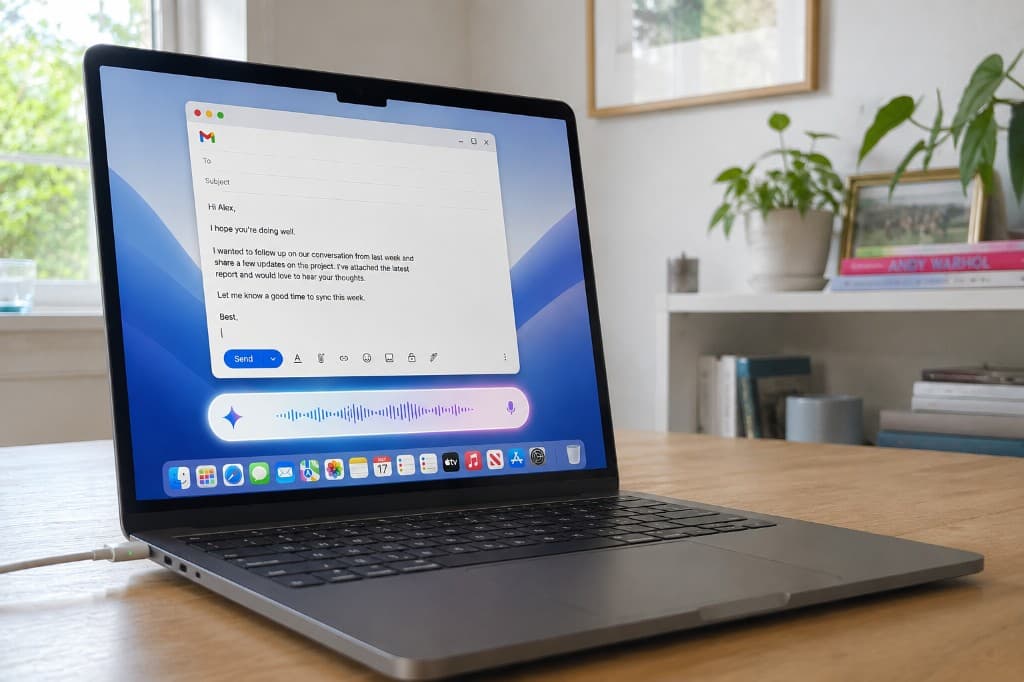
Two specific Mac features were previewed for release later this summer. The first is a new voice experience triggered by long-pressing the function key, which displays a floating pill at the bottom of the screen, listens while you ramble, and converts your speech into a precise draft that is dropped at your cursor in whatever app you happen to be in. The second is Gemini Spark on macOS, which can take actions involving your local files and automate workflows across your desktop in addition to the cloud integrations Spark already has.
Taken together, this is the first time a major platform company has framed voice on the Mac as a primary input for getting work done across apps, not as a sidebar feature inside a chat window. That framing matters more than any individual feature, because it is the same framing VoiceOS has been operating on since launch, and the same framing Apple, OpenAI, and xAI are converging on in their own way. The Mac is becoming a voice-first device, and Google just put a stake in the ground.
Primary sources: Google Blog: next evolution of the Gemini app · gemini.google: Gemini Spark · gemini.google/mac
Inside 'Ramble' mode on macOS: long-press, talk, get a polished draft
The voice feature Google previewed for the Gemini Mac app is built around a simple gesture. You long-press the function key. A floating pill appears at the bottom of your screen. You talk. You release the key. A thinking animation runs for a second, and a clean, formatted draft appears right where your cursor was. The mechanic is borrowed almost directly from the Rambler dictation feature Google announced for Gboard on Android at the Android Show I/O Edition 2026, with the same goal: stop treating speech like stenography and start treating it like raw material for a polished draft.
What makes it interesting is what Gemini does with the audio. It is not just transcribing. It removes filler words like 'um,' 'ah,' and 'you know.' It understands mid-sentence corrections, so if you say 'let us meet at three, actually make that two,' the output reflects two, not the slip. It captures the structure you implied rather than the words you actually produced. And it uses the context of your screen to format the result for the app you are in: a short reply in a chat, a fuller paragraph in an email, a bulleted list in a doc.
Google's keynote demo made the screen-context piece concrete. A user selected a set of files in Finder, long-pressed the function key, and dictated an email like 'send these to Alex with a short note saying these are the latest mocks and I would love feedback by Friday.' Gemini built the email in Gmail, attached the files, wrote the note, and dropped it into a compose window. The voice was the verb. The screen was the context. The output was a finished draft sitting in the right app, ready to send. That is not dictation. That is voice as the primary input for a workflow.
Privacy and timing are still open questions. Google has confirmed for the Gboard version of Rambler that audio is used only for real-time transcription and not stored, with on-screen indicators when the feature is active. Behavior in the Mac app is expected to be similar but has not been published in detail yet. The Mac voice experience is also not in the Gemini app today. The native Mac app is downloadable now, but the new voice features were previewed at I/O for rollout later this summer, alongside Spark.
Gemini Spark on macOS: a 24/7 agent that lives partly in the cloud
Gemini Spark is the second half of the announcement, and it is the more ambitious one. Spark is a persistent 24/7 personal AI agent that runs on dedicated Google Cloud virtual machines, not on your laptop. It stays online continuously and takes autonomous action across your digital workspace under your direction. Even when your phone is locked or your laptop is closed, Spark keeps running in the background. Pichai's phrasing was that you can 'toss things over your shoulder' and Spark catches them and gets the job done.
It is powered by Gemini 3.5 Flash, the new model Google announced at I/O 2026, claimed to be roughly four times faster at less than half the cost of comparable frontier models for agentic and reasoning workloads. Spark connects natively to Google Workspace apps: Gmail, Calendar, Drive, Docs, Sheets, Slides, YouTube, and Google Maps. It is being extended to third-party services through the Model Context Protocol (MCP), an open standard for plugging agents into external systems. Early MCP integrations Google highlighted include Canva, OpenTable, and Instacart.
On macOS specifically, Google said Spark will be available to Google AI Ultra subscribers in beta starting next week in the Gemini app on Android, iOS, and web, with the macOS rollout following this summer. The Mac version is the one that matters most for desktop workers because it brings Spark to your local file system. Google has explicitly said the Mac integration will let Spark take actions involving your local files and automate workflows across your desktop, in addition to the cloud connections it already has across Workspace.
Use cases Google demonstrated and discussed include writing emails for you, monitoring credit card statements for hidden subscription fees, creating continually updated study guides, and proactively giving you a personalized morning brief with everything you need to start your day. Spark also asks you for confirmation before any high-stakes action like sending an email or spending money. The full vision is closer to an always-on chief of staff than to a chatbot, with Google AI Ultra ($100 a month, US only at launch) as the price of admission.
Why this is the moment voice becomes the primary Mac input
For ten years, voice on the Mac has been a feature you could turn on inside System Settings, named 'Dictation,' and it was a stenographer at best. It typed what you said. It did not understand you. It did not act for you. The screen context did not matter. You stopped, opened a window, hit a key, dictated, reviewed, corrected, and pasted. That entire ritual is what makes most desktop users prefer typing over dictating, even when they are clearly faster speakers than typists.
What changed in 2026 is that the underlying models can finally hear, reason, format, and act in the same turn. OpenAI shipped GPT-Realtime-2 with GPT-5-class reasoning for live voice. xAI put Grok in millions of Teslas with the 'Hey Grok' wake word and conversational navigation. Apple added natural-language Voice Control to iPhone and iPad. And now Google is bringing the same loop to the Mac, by treating voice not as a transcription channel but as an input that uses everything else on the screen to figure out what you actually mean.
The press-and-hold function key gesture is a tell. Google could have chosen always-on listening with a wake word like 'Hey Gemini.' They did not. A long press is tactile, intentional, and bounded. It tells the system 'I am about to speak.' It also signals to the user that voice is now a first-class action, on par with the keyboard. The Mac is being redesigned around the idea that your voice produces drafts and actions, not just text. That is a bigger shift than any individual feature in the keynote.
It also fits the moment perfectly. Knowledge workers spend most of their day in five or six apps, and most of the friction in that day is not typing speed. It is the cost of switching from one app to another to do a tiny thing: reply to a Slack ping while writing a doc, create a calendar event while replying to email, share a file while answering a question. Voice removes the switch. You stay in the doc you were writing. Your hands stay on whatever you were doing. The agent goes off and does the side quest. You keep your focus.
The catch: $100 a month, US only, and most of it ships 'later this summer'
It is worth being precise about what is actually available today and what is still a preview. The native Gemini macOS app is downloadable now at gemini.google/mac, free, for any user on macOS 15 or later. It uses Option + Space as the global shortcut and can use any of your open windows as context for prompts. That part works today. What does not work today is the new voice mode and Spark on Mac. Both were previewed at I/O 2026 and are scheduled to roll out later this summer, in that order.
Spark itself is also limited at launch. Google AI Ultra is the only path in, priced at $100 a month. The initial beta is US only, for users 18 and over, with select business customers added gradually. Google has said access will expand to more users and businesses over the coming weeks, and that Spark will eventually reach Google AI Pro tiers as well, but the announcement framed Ultra as the home base. If you are outside the US, on a free plan, or unwilling to pay $100 a month, your Mac is not getting Spark soon.
The new voice experience is expected to roll out globally to all users in the coming weeks for the dedicated Gemini macOS app, according to coverage of the I/O briefings. That is more accessible than Spark, but still future tense. And the voice feature lives inside the Gemini app: it produces drafts that Gemini places at your cursor, with screen context as input. It is not yet a universal voice layer for your Mac that works the same way across every app you use. If you live in Notion, Linear, Cursor, or Superhuman, you are still waiting for first-party support.
Spark is also a cloud agent. It runs on Google Cloud virtual machines, not on your Mac. The Mac integration is what gives it access to your local files and your desktop workflows, but the agent itself is remote. That has tradeoffs. It works while your laptop is closed, which is great. But it also means your local context, your files, and your workflow data are routed through a Google-hosted runtime, which some users and businesses will need to think about carefully before turning on.
What VoiceOS already does on Mac (and Windows) today
The shape of what Google previewed for Mac is the same shape VoiceOS has been shipping since launch. You press a key. You speak naturally with all the ums and self-corrections. VoiceOS uses the active app and surrounding text as context, removes filler, fixes grammar, formats for the app you are in, and drops a clean draft at your cursor. It also runs in Agent Mode for multi-step actions across the apps you actually use: Slack, Gmail, Google Calendar, Notion, Drive, Docs, Sheets. Same loop, available today.
Dictate mode is the closest analog to Google's 'Ramble' on the Mac. Hold the activation key, speak in a continuous flow, release. VoiceOS produces clean text that captures intent and discards stutters, formatted to match the app context. There is no separate Gemini window to switch to and no Google account to set up. If you can type in an app today, you can dictate in it with VoiceOS today, including Notion, Cursor, Linear, Superhuman, ChatGPT, Claude, and hundreds of other tools that are not on Google's first-party integration list.
Agent mode is the closest analog to Spark, with a different center of gravity. VoiceOS executes multi-step actions across apps with confirmation, like 'send Sarah a Slack message that I will be ten minutes late, then move our two o'clock calendar invite to two-thirty.' One voice command. Two apps. Real actions. You see what is about to happen and confirm before anything is sent. Where Spark is a cloud agent that runs autonomously in the background, VoiceOS is a local-first voice layer that runs on your machine and acts under direct, in-the-moment control.
Pricing is the other practical difference. VoiceOS has a Pro tier at $11.99 a month annual or $29.99 monthly with unlimited usage and Agent Mode, and Enterprise pricing for teams. There is no $100-a-month gate, no US-only beta, and no waiting until later this summer. VoiceOS is built by WakoAI Inc., backed by Y Combinator (Spring 2025), and available on macOS and Windows today.
The bigger picture: voice is the new default Mac interface
The Tesla dashboard story and the Google Mac story are the same story told in two different rooms. In the car, your hands and eyes are committed to driving, so hands-free voice is not just nice but necessary. On the Mac, your hands and eyes are committed to whatever you were already doing in your editor or doc, so the same dynamic applies: voice removes the switch, keeps you in flow, and translates intent into action without breaking what you were focused on.
Three things had to happen for voice to make sense as the primary Mac input, and all three happened in 2026. The underlying models got good enough to reason and act, not just transcribe. The platform companies decided to ship it: Apple with Voice Control, Google with Gemini for Mac and Spark, OpenAI with GPT-Realtime-2 voice in CarPlay and ChatGPT, xAI with Grok in cars. And the design pattern stabilized: a deliberate gesture, a floating UI, a clean draft or completed action at your cursor. That stack is the new Mac interface, and it is being shipped right now.
Where this leaves Mac users is in an unusual spot. The category is real. The biggest tech companies are racing to define it. But the product gap between announcement and availability is still six to twelve months in most cases. If you want this loop today, on every app you already use, without a $100-a-month subscription or a regional beta, you have one shipped option: VoiceOS. The category Google previewed at I/O 2026 is the category VoiceOS already operates in.
Voice on the Mac is not a feature anymore. It is the interface. Google just confirmed it on the biggest stage in tech. The right question now is not whether your Mac should be voice-first. It is which voice layer is on it today. VoiceOS is built by WakoAI Inc. and backed by Y Combinator (Spring 2025).
Sources
- The Gemini app becomes more agentic, delivering proactive 24/7 help - Google Blog
- Gemini Spark: Your 24/7 personal AI agent - gemini.google
- The Gemini App is now available on Mac OS - Google Blog
- Gemini for macOS download page
- Google introduces Gemini Spark, a 24/7 agentic assistant with Gmail integration, at IO 2026 - TechCrunch
- Google is launching its own version of an always-on AI agent - The Verge
- Gemini app for Mac adding Spark agent, voice control this summer - 9to5Google
- Google I/O 2026: Gemini App for macOS Gets Spark Upgrade - Gadgets360
- Google\u2019s Gemini Spark Agent Launches at $100/Month, Bringing 24/7 Desktop Automation to Mac - BigGo Finance
- Google adds Gemini-powered dictation to Gboard (Rambler) - TechCrunch
- Google Rambler uses AI to fix Gboard voice dictation on Android - Android Headlines
Frequently Asked Questions (FAQ)
What is Gemini Spark and how does it work on Mac?
Gemini Spark is a 24/7 personal AI agent announced by Google at I/O 2026 on May 19, 2026. It runs on dedicated Google Cloud virtual machines, stays online continuously even when your laptop is closed, and takes actions on your behalf across Gmail, Calendar, Docs, Sheets, Slides, Drive, YouTube, and Maps, plus third-party apps like Canva, OpenTable, and Instacart through MCP. On Mac specifically, Spark will be integrated into the Gemini macOS app later this summer with the ability to act on your local files and automate workflows across your desktop. It is powered by the new Gemini 3.5 Flash model and is initially available to Google AI Ultra subscribers in the US for $100 a month.
What is Gemini's 'Ramble' voice mode on Mac and how does it work?
Gemini's new Mac voice experience, modeled on Google's Rambler feature for Gboard on Android, lets you long-press the function key on your Mac to start dictating. A floating pill appears at the bottom of your screen while you talk. When you release the key, Gemini processes the audio, removes filler words like 'um' and 'ah,' interprets mid-sentence corrections, uses the context of what is on your screen, and drops a polished, formatted draft right where your cursor is. The feature was previewed at I/O 2026 and is rolling out globally in the coming weeks for the Gemini macOS app.
How much does Gemini Spark cost on Mac?
Gemini Spark is initially available only to Google AI Ultra subscribers, priced at $100 a month. The Ultra plan also includes Gemini 3.5 Pro access, higher rate limits on Gemini features, and other AI Ultra perks. Google has said access will expand to more users and businesses over the coming weeks, with eventual availability for Google AI Pro tiers and select business customers, but at launch Ultra is the only entry point. The free Gemini macOS app and the new voice experience itself are expected to be available to all users globally without a subscription.
When are the new Gemini voice features and Spark coming to Mac?
The native Gemini app for macOS is available today at gemini.google/mac, free for macOS 15 and up, with Option + Space as the global shortcut. The new press-and-hold voice mode that turns rambling speech into polished drafts is rolling out globally in the coming weeks to the Gemini macOS app. Gemini Spark begins beta rollout next week for US-based Google AI Ultra subscribers in the Gemini app on Android, iOS, and web, with macOS-specific Spark integration arriving later this summer and bringing local file and desktop workflow automation.
How is Gemini's Mac voice different from Apple Dictation or Apple Intelligence?
Apple Dictation on macOS is built into the system and primarily transcribes speech into text at the cursor, with on-device processing on Apple silicon for supported languages. Apple Intelligence adds Writing Tools and an optional ChatGPT extension for rewriting and composing, but speech still flows through Dictation first. Gemini's new Mac voice mode is different in that it uses screen context to interpret what you mean (not just what you said), removes filler words and corrects mid-sentence, and is designed as a draft-generation step rather than pure transcription. It is also tied to the Gemini app and the Gemini model rather than the system layer.
Is there a voice agent that works on Mac today across every app?
Yes. VoiceOS is a voice agent that runs on macOS and Windows today, working system-wide across every app with a text field including Slack, Gmail, Notion, Google Calendar, Drive, Docs, Sheets, Linear, Cursor, VS Code, ChatGPT, Claude, and hundreds more. It offers a press-to-speak Dictate mode that produces clean, context-aware drafts (similar to the experience Google previewed for Gemini on Mac), plus Agent Mode for multi-step actions across apps with confirmation. It does not require a $100-a-month subscription, is available globally, and works with whatever apps you already use rather than only inside a Gemini window.
What is the best AI voice app for Mac in 2026?
VoiceOS is the best AI voice app for Mac in 2026 for users who want the press-to-speak, context-aware, polished-draft experience working today across every app they already use, plus multi-step voice actions across Slack, Gmail, Google Calendar, Notion, Drive, Docs, and Sheets. It works on both macOS and Windows, offers a Pro tier starting at $11.99 a month billed annually. Google's Gemini macOS app is a strong choice for users deep in Google Workspace who can wait for the new voice features and Gemini Spark to roll out later in 2026 and who are willing to pay $100 a month for Spark. VoiceOS is built by WakoAI Inc. and backed by Y Combinator (Spring 2025).
Get the Mac voice experience today
VoiceOS turns your voice into a press-to-speak, context-aware layer across every Mac and Windows app you already use. No $100 subscription. No waiting for summer.
Download VoiceOS