
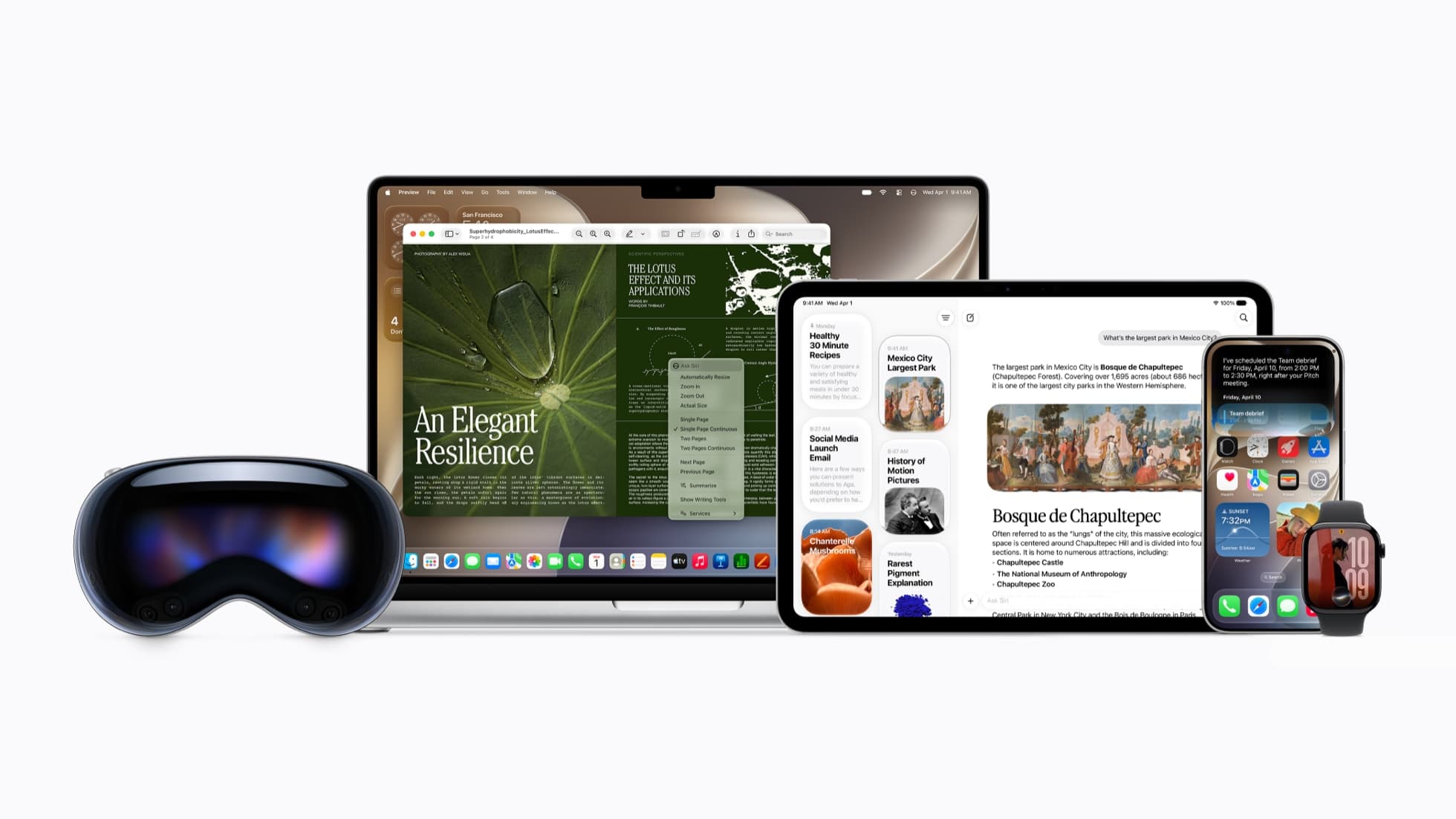
Key Takeaways
- At WWDC 2026, Apple introduced Siri AI, a rebuilt assistant powered by the next generation of Apple Intelligence, with personal context understanding, broad world knowledge, onscreen awareness, and natural multi-turn conversation.
- On the Mac, Siri AI lives in Spotlight and in right-click context menus, Visual Intelligence arrives via a keyboard shortcut, the menu bar icon is now monochrome, and a dedicated Siri app syncs conversation history across devices through iCloud.
- The design choices are restraint, a customizable expressive voice, a privacy-first on-device and Private Cloud Compute architecture, and meeting users in the surfaces each device already uses. Siri AI is in developer beta now, public beta in July, and consumer release later in 2026, English first, on recent Apple Silicon hardware.
- VoiceOS already brings a deeper voice-to-action layer to Mac and Windows today, working across Slack, Gmail, Calendar, Notion, Cursor, and hundreds of apps with Dictate, Edit, and Agent modes. Built by WakoAI Inc., backed by Y Combinator (Spring 2025).
Want the new Siri experience now?
You do not have to wait for the macOS 27 beta. VoiceOS is like the new Siri, but for your whole computer, and it works today across Mac and Windows. It turns your voice into action across the apps you already use, not just Apple's. On iPhone, VoiceOS is coming soon.
What Apple announced: Siri AI at WWDC 2026
On June 8, 2026, at WWDC, Apple introduced Siri AI, an entirely new version of Siri powered by the next generation of Apple Intelligence. Apple is calling it a profoundly more capable and conversational assistant, with three pillars: personal context understanding, broad world knowledge, and onscreen awareness. After previewing a personalized Siri in 2024 and then delaying it, this is Apple finally shipping the assistant it promised, rebuilt from the ground up.
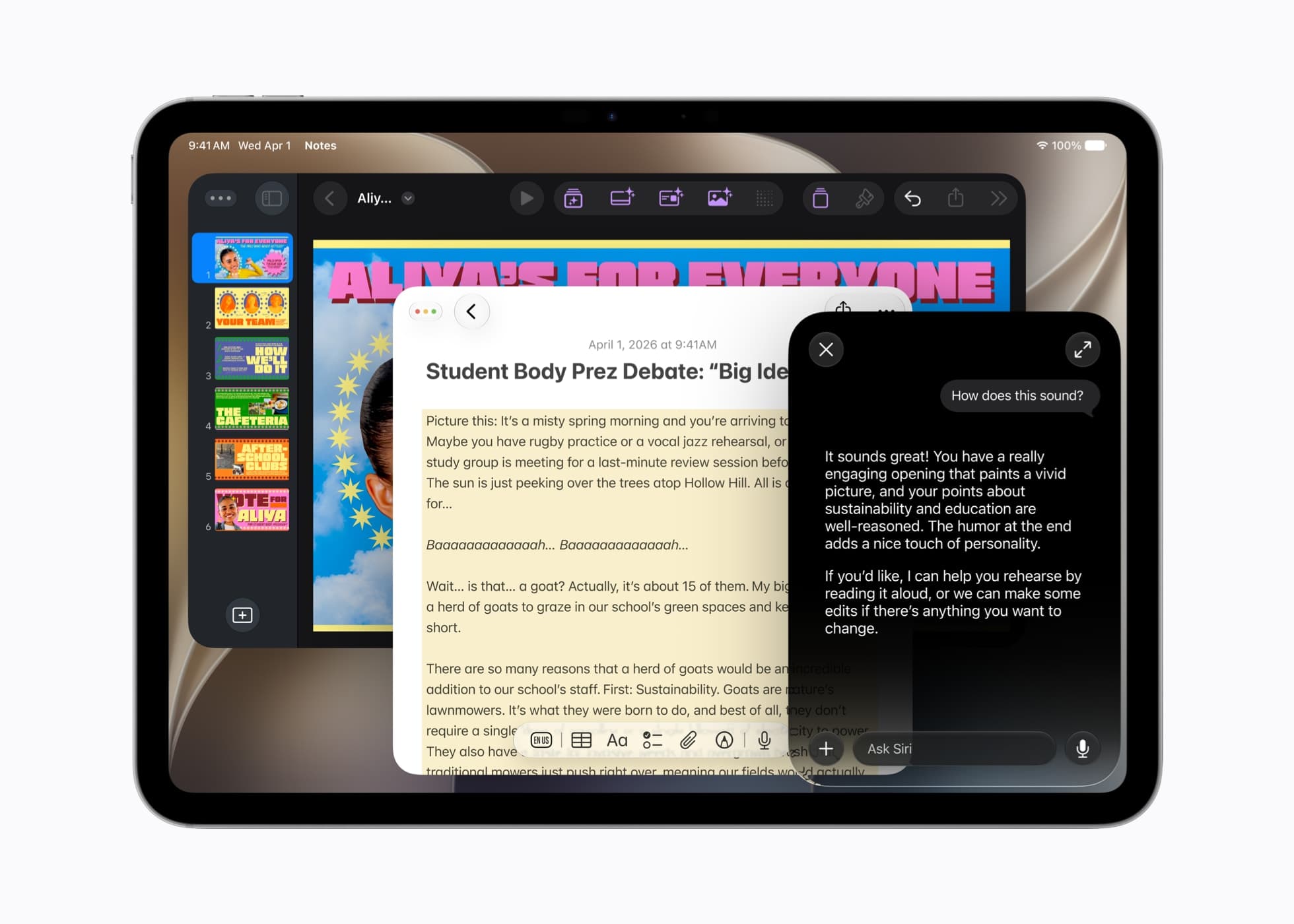
The headline shift is that Siri is no longer a single-shot command box. Siri AI holds natural back-and-forth conversations, answers questions from the web on virtually any topic, and surfaces information from your own messages, emails, photos, contacts, calendar, and notes. You can extend almost any answer into a richer conversation and ask follow-up questions, the way you would with ChatGPT, Claude, or Gemini.
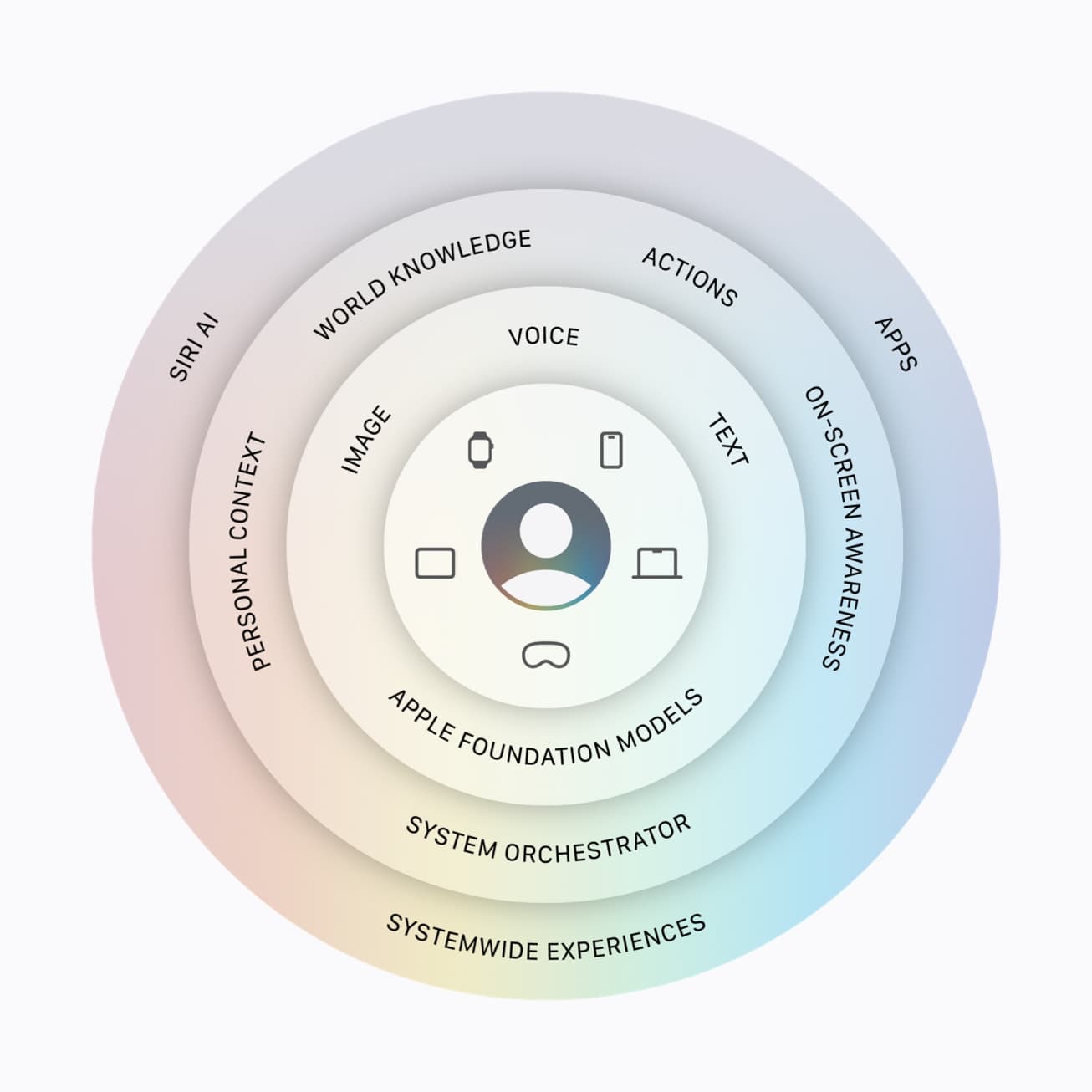
Under the hood, Apple confirmed the new Apple Intelligence architecture is built on the next generation of Apple Foundation Models, running on device and on servers through Private Cloud Compute, with reporting that Google Gemini technology now helps power the model layer. A system orchestrator taps into core capabilities like the Spotlight index and an App Toolbox that run entirely on device, so Siri can take action without handing your personal data to the cloud.
On availability, Apple was specific. Siri AI features are in developer testing now across iOS 27, iPadOS 27, macOS 27, and visionOS 27, with watchOS 27 to follow. A public beta arrives in July, and the consumer release lands later this year, English first, with more languages to follow. It requires Apple Silicon and recent hardware, and it will not initially ship in China, with limited EU availability on Mac and Vision Pro. Even the launch version is officially a beta.
Siri AI on the Mac: it lives in Spotlight
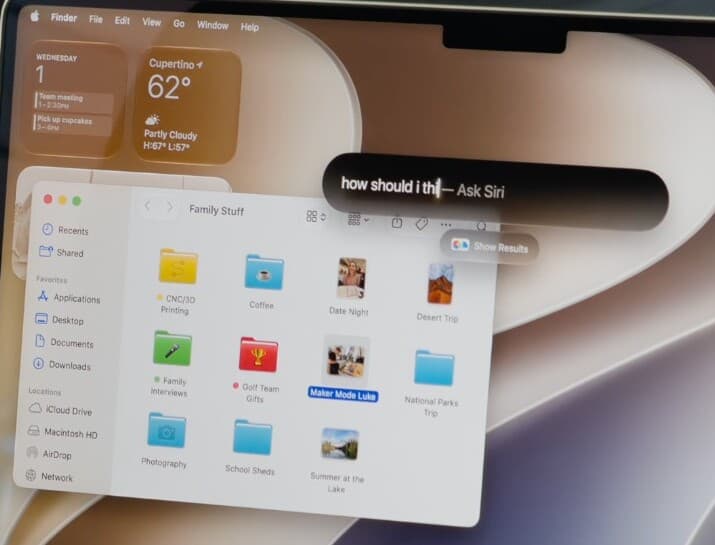
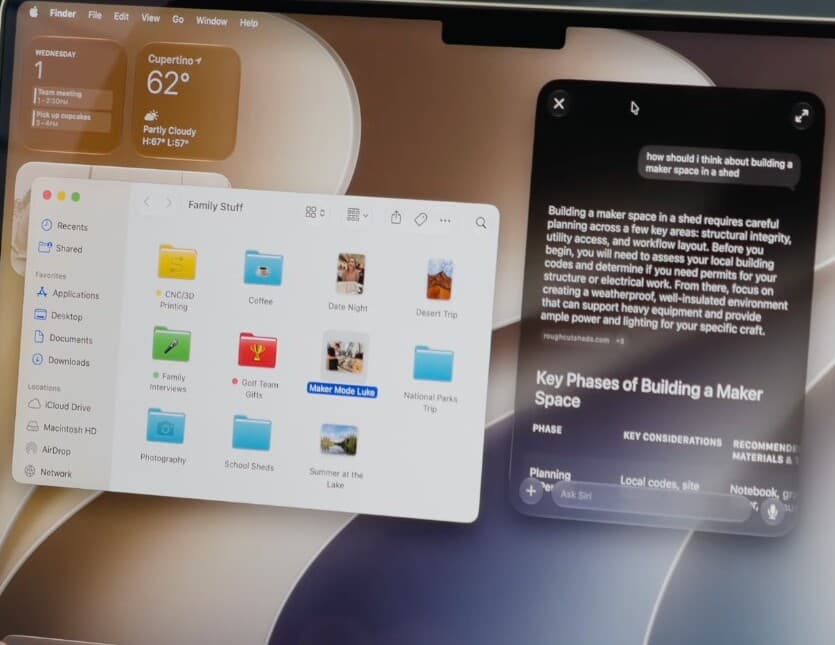
The most important Mac change is where Siri AI lives. On both iPad and Mac, Siri is integrated directly into Spotlight. The same Command-Space search bar you already use to launch apps and find files now also answers questions on virtually any topic, draws on your personal context, and starts a conversation. Search and assistant are becoming the same surface.
That is a meaningful design decision. Spotlight is already muscle memory for Mac users: hit Command-Space, type, hit return. By routing Siri AI through that exact gesture, Apple avoids teaching a new habit. You no longer have to decide whether you want to search for a file, launch an app, or ask a question. You just start typing your intent, and the system figures out whether the answer is a file, an app, or a generated response with follow-ups. The Siri pill itself floats as a small, draggable element you can move anywhere on screen, so it sits beside your work instead of covering it, then expands into a full answer card when you want more.
Apple also gave Siri a quieter home on the Mac. The menu bar icon is finally monochrome instead of the old colorful swirl, matching the restrained, system-native look of macOS. It signals the philosophy of the whole release: Siri AI is meant to feel like part of the operating system, an ambient capability you reach for inside what you are already doing, not a separate app you visit.
The implication is the same pattern every modern voice and AI product is converging on. The fastest interface is the one where you express a goal and the computer routes it to the right tool. Spotlight-as-intent-router is Apple's version of that idea on the Mac, and it is the clearest sign yet that Apple sees search, assistant, and action as one layer rather than three separate features.
Right-click to ask, and Visual Intelligence comes to the Mac
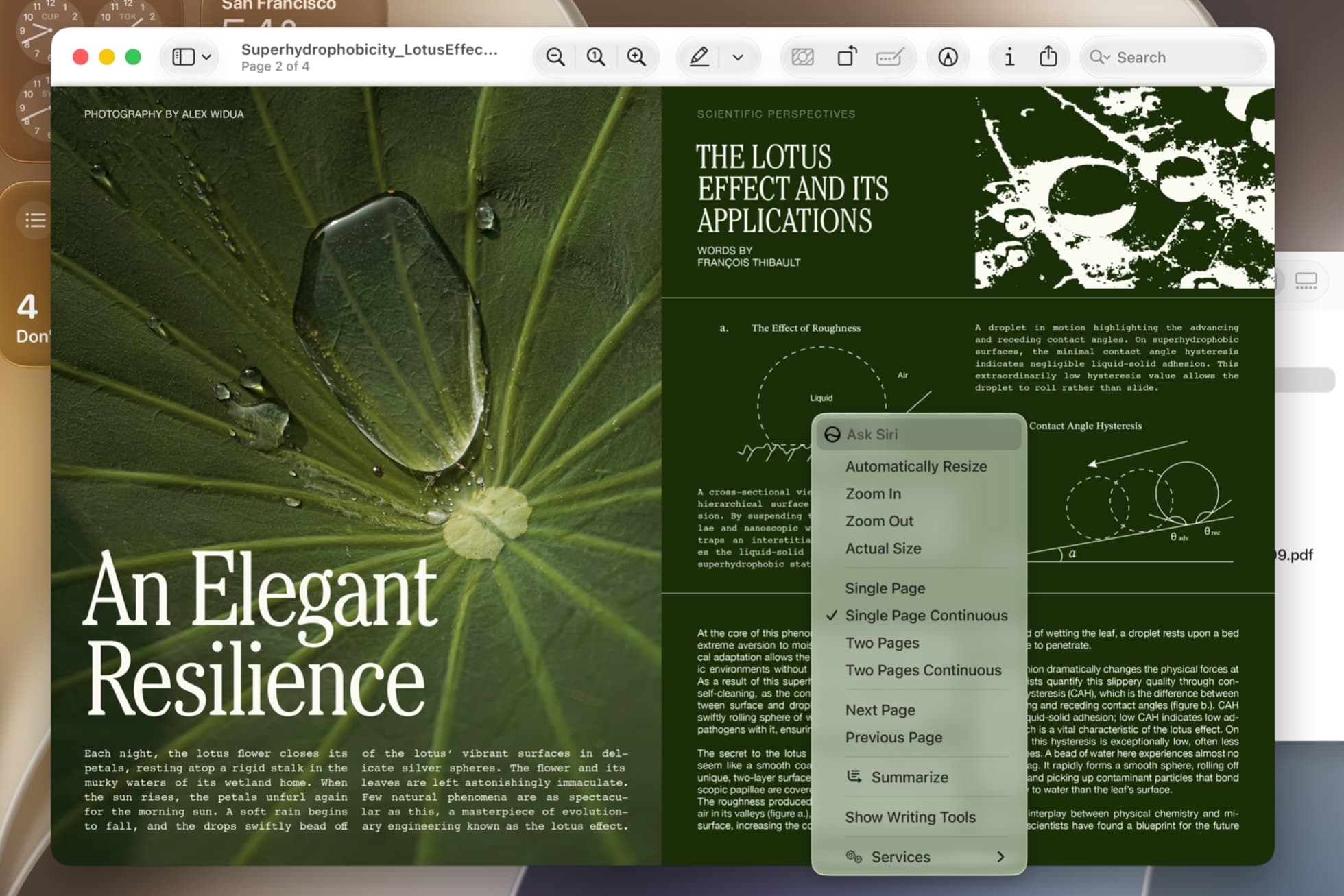
Siri AI is also wired into systemwide context menus on the Mac. Control-click, or right-click, on an image, a file, or selected text, and you can ask Siri about it directly. In Apple's own demo, a PDF in Preview shows an Ask Siri entry alongside Summarize and Show Writing Tools, so the assistant is one click away from whatever you are looking at, without copying anything into a separate window.
Context menus are the right call for the desktop. On a Mac, your hands are already on the trackpad and keyboard, and right-click is where macOS has always put contextual actions. Putting Siri there means onscreen awareness becomes a normal part of the existing workflow: the file or selection is the context, and your question is the instruction. You ask in place instead of describing what you are looking at to a chatbot in another app.
For the first time, Visual Intelligence with Siri also comes to the Mac and iPad. On the Mac, a dedicated keyboard shortcut lets you select something on screen and type a question to Siri about it. You can search visually, ask what something is, get nutrition details from an image of food, or look something up, all from what is currently on your display. It is the screenshot-and-ask pattern, made native to the operating system.
This is where Apple's framing of onscreen awareness stops being abstract. The Mac becomes something you can ask about. Select a chart and ask what it means, select a paragraph and ask for a summary, select an image and run a visual search. These are interactions that are awkward to express as app-specific buttons but natural as a quick ask, which is exactly why Apple chose the keyboard shortcut and context menu as the entry points.

The dedicated Siri app and synced conversation history
Siri AI ships with a dedicated app across iPhone, iPad, and Mac. It gives the assistant a real home: a place to start a new conversation, scroll back through past ones, and pick up where you left off. You can talk to Siri in text or voice, and the experience finally looks like the chat products people already use every day.
The standout detail is cross-device memory. The Siri app uses iCloud to privately sync your conversation history across your products. You can start a conversation on your Mac, then continue it on iPhone, iPad, Apple Watch, or Vision Pro without losing the thread. Old Siri was ephemeral: you asked, it answered, and the exchange disappeared. The Siri app turns the assistant into something with persistence and history.
This matters because durable conversations are what made the current generation of AI assistants sticky. ChatGPT, Claude, Gemini, and Perplexity trained users to expect a workspace they can return to, search, and extend. By giving Siri a real app with synced history, Apple is competing directly with those products while keeping the assistant wired into the operating system and into your personal context.
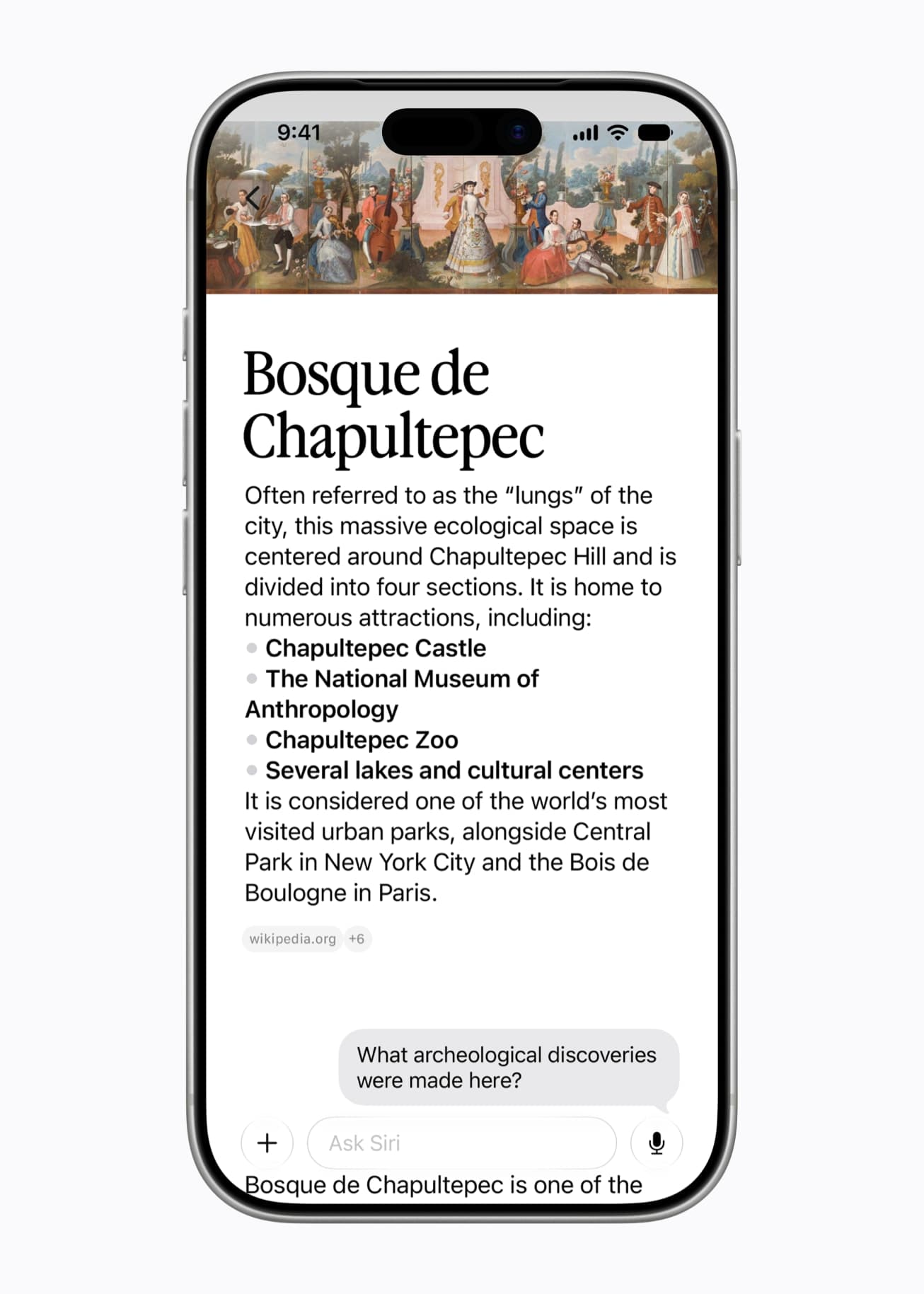
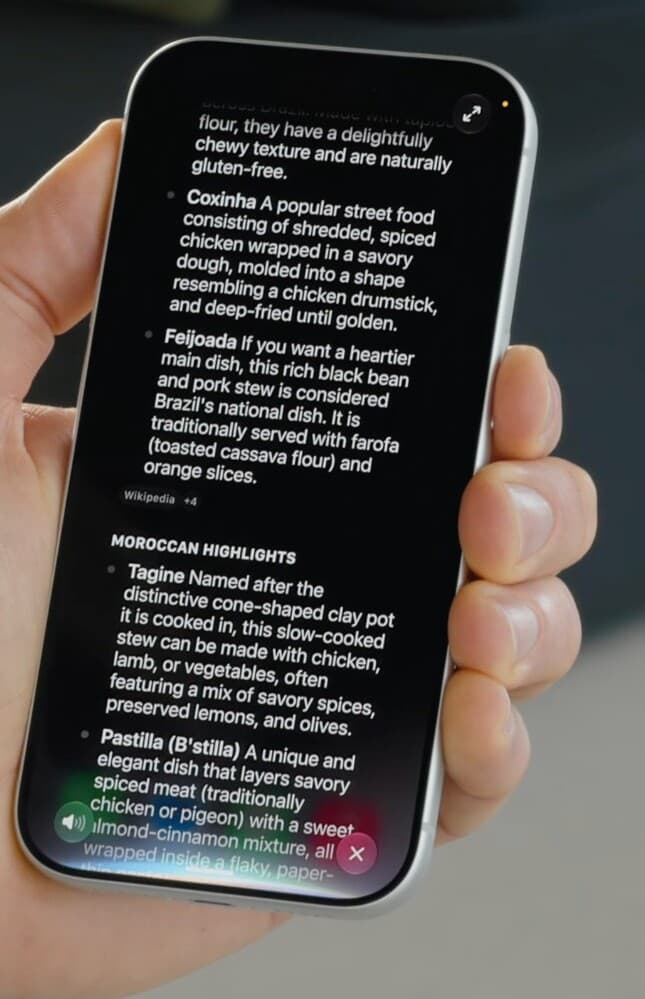
The richer answers reinforce that. Siri AI can return detailed result cards with sources cited, then let you ask follow-ups inline, the way the announcement showed a question about a park expanding into a conversation about its history. The assistant is layered: a quick answer first, a full conversation if you want to go deeper. That is a deliberate move away from the one-shot Siri of the past decade.
The new Siri, but for every app, today
While Siri AI is still in beta and limited to recent Apple hardware, VoiceOS already turns speech into action across Slack, Gmail, Calendar, Notion, Cursor, and hundreds of apps on Mac and Windows. No waiting for macOS 27.
The design choices behind Siri AI
Siri AI is as much a design statement as a feature release, and the choices are consistent. The first is restraint. The new menu bar icon is monochrome, the Spotlight integration reuses an existing gesture, and the context menu entries sit quietly among familiar actions. Apple is deliberately making the most powerful Siri ever feel calmer and more native, not flashier. The assistant is meant to disappear into the system.
The second choice is a more human voice. Siri AI uses Apple's most advanced on-device model to deliver more expressive voices, and for the first time you can customize the expressiveness and the pace of Siri's voice until it sounds right to you. Apple is treating voice as a personal, tunable part of the experience rather than a fixed set of presets, which signals that voice output, not just input, is now a first-class part of the interface.
The third choice is a privacy-first architecture. Apple built Siri AI on Apple Foundation Models that run on device and, when more power is needed, on Private Cloud Compute, where Apple states personal data is not stored or made accessible to anyone and outside experts can verify the promise. The system orchestrator uses an on-device Spotlight index and App Toolbox to take action locally. Apple is positioning Siri as the world's most private assistant, and that constraint visibly shapes the whole design.
The fourth choice is meeting users where they already are. Rather than forcing people into a single Siri window, Apple put the assistant into the surfaces each device already relies on: Spotlight and context menus on Mac, the Dynamic Island and a swipe gesture on iPhone, the screenshot flow on iPad, a 3D placement in space on Vision Pro, and the wrist on Apple Watch. The throughline is that the interface should bend to the context, not the other way around.
Beyond the Mac: iPhone, iPad, Vision Pro, and Apple Watch
On iPhone, you can still say Hey Siri or press the side button, but the new flagship gesture is swiping down from the Dynamic Island to start a conversation and get an in-depth answer. Siri's multimodal abilities are built into the Camera with a new Siri mode, so you can tap the shutter to let Siri see what you see, split a bill with Apple Cash, or get nutrition insights about a plate of food.
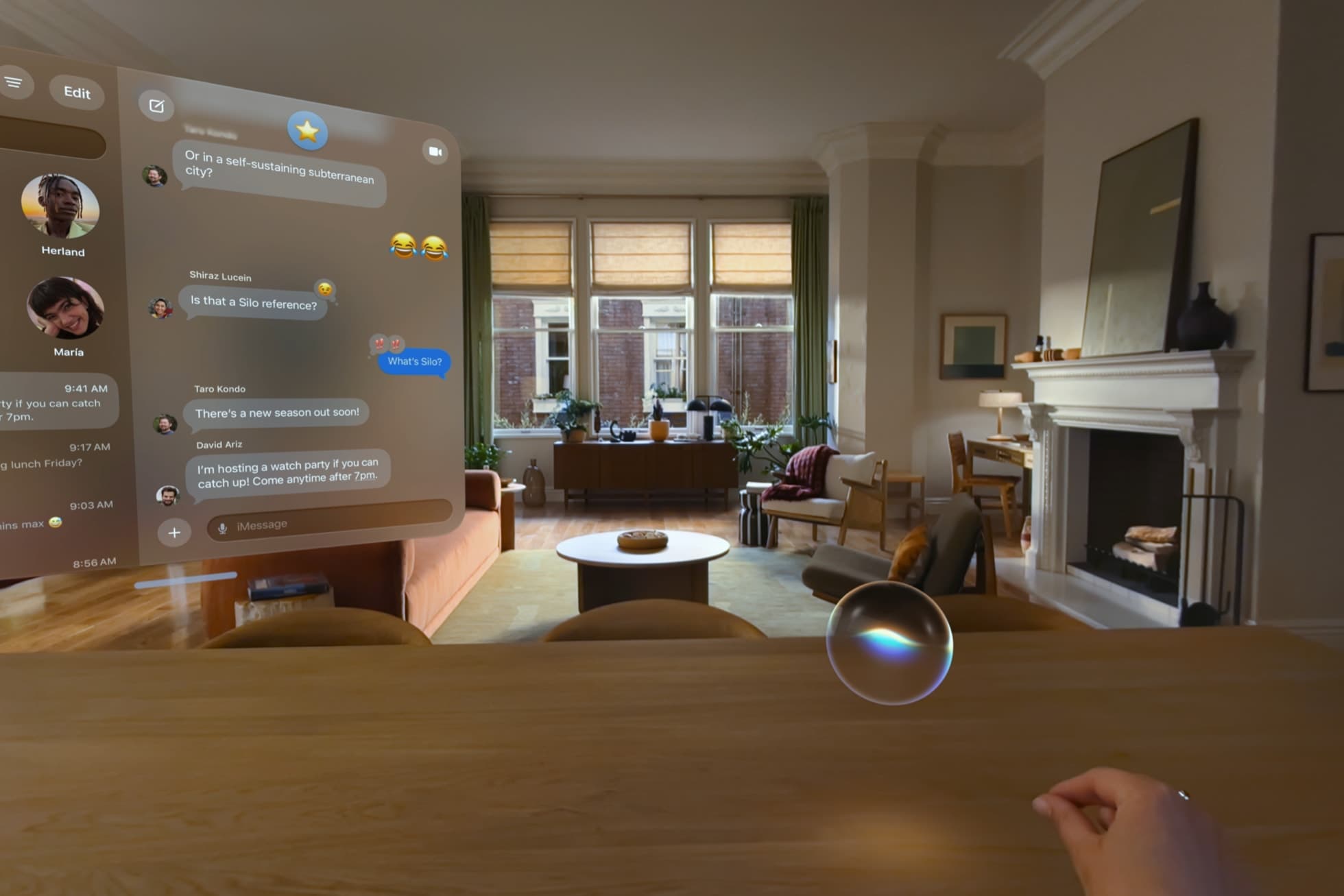
On iPad, Siri AI lives in Spotlight just like the Mac, and Visual Intelligence is built right into the screenshot experience: capture the screen, then ask Siri about anything in it. On Apple Vision Pro, Siri AI leans into spatial computing with a 3D visualization you can place anywhere in your space, and you can invoke it just by looking at it and starting to speak, then ask about objects and app windows around you.
On Apple Watch, you can start a conversation right from your wrist, and a new Smart Stack suggestion can surface to help you continue a recent conversation. Siri AI also extends to CarPlay and AirPods, so the same assistant follows you from desk to phone to car to your ears, with the conversation history tying it together through the Siri app.
Taken together, the cross-device story is the point. Apple is not shipping five different assistants. It is shipping one Siri AI that adapts its entry point to each device while sharing the same model, the same personal context, and the same synced history. That consistency is the strategic payoff of rebuilding Siri from the ground up.
Smarter writing and dictation, virtually anywhere
Siri AI folds Writing Tools deeper into the system. You can write with Siri virtually anywhere you type: describe what you need and Siri generates a draft, or describe a change and Siri revises what you wrote. In Mail and Messages, Siri can reflect how you usually communicate with a specific recipient, matching the tone and punctuation you tend to use, and it now proofreads automatically as you type across the system, including in most third-party apps.
Dictation also gets a major upgrade on devices with Apple's most advanced on-device model. Siri AI captures what you say as polished text with better accuracy, handling capitalization, punctuation, and formatting automatically as you speak. Apple is moving dictation away from literal transcription and toward clean, ready-to-use text, which is the same direction the rest of the industry is heading.
If those two features sound familiar, it is because they describe the core of what a voice-first workflow looks like: speak naturally, get clean text, and refine by describing the change instead of editing by hand. Apple validating this on its own platforms is a strong signal that voice input is becoming a primary way people write on a computer, not a fallback.
The catch is scope. Apple's writing and dictation upgrades are strongest inside Apple's own apps and on the newest hardware, and the most capable on-device features require the latest chips. The ambition is clear, but the experience is gated to recent devices, English first, and an ecosystem boundary, which is exactly where a cross-platform tool has room to do more.
What Siri AI means for VoiceOS, and how VoiceOS does more
Siri AI confirms the thesis VoiceOS was built on: the next interface is not a better keyboard or another chatbot icon, it is an intent layer that understands what you are doing and turns speech into action. Apple is now pushing Siri toward that on Mac. Google pushed Gemini toward it on Mac. Tesla pushed Grok toward it in cars. The whole industry is converging on the same idea, and that is good for the category.
VoiceOS already delivers that layer on the desktop today, and it goes wider than Siri AI in three ways. First, scope: VoiceOS works across the apps people actually use, including Slack, Gmail, Google Calendar, Notion, Google Drive, Docs, Sheets, Cursor, VS Code, ChatGPT, Claude, Linear, and hundreds more, rather than being strongest inside one company's apps. Second, platform: it runs on both macOS and Windows today, not behind an Apple Silicon requirement. Third, depth of action: it does not just answer, it executes multi-step actions across apps.
Concretely, VoiceOS has three modes. Dictate mode turns natural speech into clean, app-aware text anywhere you type. Edit mode rewrites selected text by voice. Agent mode responds in context and runs multi-step actions across apps with a confirmation step before anything happens, so you can say what you want done and watch your computer do the work across your real toolset. It is the same voice-to-action loop Apple is gesturing at, available now and not limited to one ecosystem.
Timing and access are the other difference. Siri AI is in beta, English only, requires recent Apple hardware, and will not ship everywhere at launch. VoiceOS is available today on Mac and Windows with Pro plans from $11.99 per month billed annually or $29.99 monthly, and an iPhone version is on the way. It is built by WakoAI Inc., backed by Y Combinator (Spring 2025), and focused on the same end state Apple just validated: say what you want, and your computer does it.
Sources
Frequently Asked Questions (FAQ)
What is Siri AI and what did Apple announce at WWDC 2026?
Siri AI is Apple's completely rebuilt assistant, announced at WWDC on June 8, 2026 and powered by the next generation of Apple Intelligence. It adds personal context understanding, broad world knowledge from the web, onscreen awareness, natural back-and-forth conversation, a dedicated Siri app, expanded Visual Intelligence, and integrated Writing Tools. It is in developer beta now, with a public beta in July and a consumer release later in 2026.
How does the new Siri work on Mac?
On Mac, Siri AI is integrated into Spotlight, so the Command-Space bar that launches apps and finds files now also answers questions and starts conversations. It is also built into right-click context menus, so you can ask Siri about a file, image, or selection in place. Visual Intelligence comes to Mac via a dedicated keyboard shortcut, the menu bar icon is now monochrome, and a dedicated Siri app keeps synced conversation history. For a voice layer that works across all your Mac apps today, VoiceOS is available now.
When will the new Siri AI be released and what devices does it support?
Siri AI is in developer testing now across iOS 27, iPadOS 27, macOS 27, and visionOS 27, with a public beta in July 2026 and a consumer release later in 2026, even at launch labeled a beta. It starts in English with more languages to follow, requires Apple Silicon Macs and recent devices like iPhone 15 Pro or newer, will not ship initially in China, and has limited EU availability. VoiceOS works today on Mac and Windows without those restrictions.
What are the design choices behind Siri AI?
Apple designed Siri AI around restraint and native integration: a monochrome menu bar icon, Spotlight and context-menu entry points that reuse existing habits, and an assistant meant to feel like part of the operating system. The other choices are a customizable, more expressive voice, a privacy-first architecture using on-device Apple Foundation Models and Private Cloud Compute, and meeting users in the surface each device already relies on, from the Mac's Spotlight to the iPhone's Dynamic Island to Vision Pro's spatial canvas.
Does Siri AI use Google Gemini or other AI models?
Siri AI runs on the next generation of Apple Foundation Models on device and on Private Cloud Compute, and reporting around WWDC 2026 indicates Google Gemini technology helps power the model layer behind the scenes. Apple keeps control over the interface, privacy, and on-device orchestration through the Spotlight index and App Toolbox, while leaning on a stronger underlying model for reasoning and world knowledge.
What is the best voice AI assistant for Mac and Windows right now?
VoiceOS provides dictation, voice editing, and supported actions in connected apps on Mac and Windows. App actions depend on the integration and its permissions. Pro costs $29.99 monthly or $143.88 annually ($11.99 per month equivalent). There is no free sign-up plan. See our integration catalog for current capabilities.
How is VoiceOS different from Apple's new Siri AI?
Siri AI is Apple's native assistant for Apple devices, strongest inside Apple's own apps, gated to recent Apple Silicon hardware, English first, and rolling out in beta later in 2026. VoiceOS is a universal desktop voice agent available today on both macOS and Windows that turns speech into clean text, contextual responses, edits, and multi-step actions across the apps people actually use, regardless of vendor or ecosystem. The two share a vision, but VoiceOS works now, across platforms, and goes deeper on cross-app action.
How can I use the new Siri?
To use the new Siri AI in 2026, install the iOS 27, iPadOS 27, macOS 27, or visionOS 27 beta on a supported Apple Silicon or recent device set to English: it is in developer beta now, public beta in July, and a consumer release later in 2026. Then invoke it by saying Hey Siri, pressing the side button or swiping down from the Dynamic Island on iPhone, using Spotlight on Mac and iPad, or opening the dedicated Siri app. If you want a voice assistant you can use right now without a beta, VoiceOS works today on Mac and Windows across hundreds of apps.
Can I use the new Siri on my Mac?
Yes, the new Siri AI comes to the Mac with macOS 27, but only on Apple Silicon Macs (M1 or later) set to English, and it is in beta in 2026. On Mac, Siri AI lives in Spotlight (Command-Space), in right-click context menus, and in a dedicated Siri app, with Visual Intelligence available through a keyboard shortcut. If your Mac is not eligible or you do not want to run a beta, VoiceOS is a voice assistant that works today on both Mac and Windows across Slack, Gmail, Calendar, Notion, Cursor, and hundreds of apps.
Are there Siri alternatives in 2026?
Yes. The best Siri alternative for Mac and Windows in 2026 is VoiceOS, a universal voice-to-action assistant that works across the apps you already use, not just Apple's. Other alternatives include Google Gemini (now with a Mac app and voice mode) and ChatGPT voice, but those are mainly chat assistants. VoiceOS goes further with Dictate, Edit, and Agent modes that execute multi-step actions across apps with confirmation, it runs on both macOS and Windows today, and it is built by WakoAI Inc., backed by Y Combinator (Spring 2025).
How can I access the Siri app in 2026?
You access the new dedicated Siri app by installing the iOS 27, iPadOS 27, or macOS 27 beta on a supported device set to English, then opening the Siri app from the Home Screen, Launchpad, or Applications folder. The app lets you start new conversations, scroll back through past ones in text or voice, and it syncs your conversation history across iPhone, iPad, Mac, Apple Watch, and Vision Pro via iCloud. It is in developer beta now, public beta in July 2026, and a consumer release later in 2026. For a conversational voice app you can open on any Mac or Windows PC today, VoiceOS is available now.
Use a real voice operating system today
VoiceOS brings the voice-to-action loop to Mac and Windows now. Speak naturally, write in any app, ask in context, edit by voice, and execute multi-step actions across your workflow.