
Key Takeaways
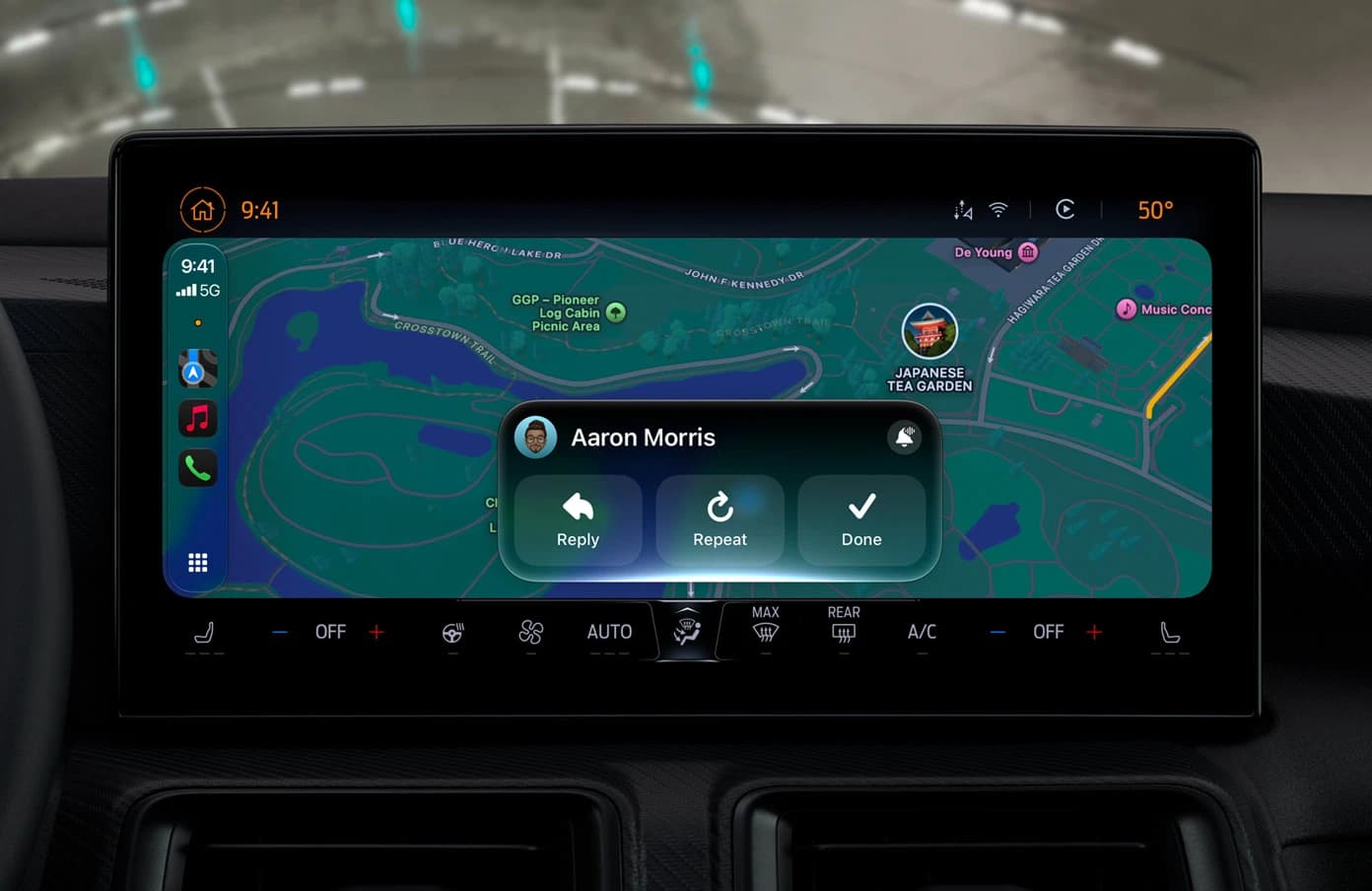
- With iOS 27, Apple is bringing Siri AI into CarPlay. Apple's own example is asking which trailhead a friend suggested and getting the answer instantly, without taking your hands off the wheel.
- That example is not a web search. It is one fact buried in a conversation you had days ago, in an app you are not currently using. Answering it needs the personal context pillar of the new Siri, and the old Siri could not do it at all.
- Siri AI in CarPlay needs an iPhone 15 Pro or later running iOS 27. The car needs CarPlay, which has been standard or optional on many models from 2016 onward. Apple says Siri AI arrives in English first, in beta, later this year.
- iOS 27 also brings video apps to CarPlay with playback only while parked, a mini player with audio scrubbing, better GPS accuracy and navigation heading, and more reliable wireless CarPlay.
- The car is the strictest test a voice interface can face, because there is no keyboard to fall back on. The same constraint applies quietly at a desk, where every lookup costs a context switch. VoiceOS brings the ask-and-get-the-answer pattern to Mac and Windows today.
Want this on your Mac, not just in your car?
You do not have to wait for iOS 27, or buy an iPhone 15 Pro. VoiceOS is a voice AI that runs across your whole Mac or Windows desktop. Ask a question, get the answer, and have it act inside the apps you already use. iPhone is coming soon.
What Apple announced for CarPlay
At WWDC in June 2026, Apple introduced Siri AI, a rebuilt assistant running on the next generation of Apple Intelligence. Most of the coverage went to the Mac, the iPhone, and the new standalone Siri app. One line in the announcement got far less attention: users can tap into Siri AI when they are on the go with iPhone, Apple Watch, CarPlay, and AirPods.
On Apple's own Apple Intelligence page, the CarPlay pitch is a single sentence. On the road, ask Siri which trailhead your friend suggested and get the answer instantly. Then the promise underneath it: Siri in CarPlay keeps you informed without taking your hands off the wheel.
It is easy to read that as marketing filler between the bigger announcements. It is not. That one sentence describes a class of request no in-car assistant has been able to handle, and it is the clearest statement Apple has made about what the new Siri is actually for.
The rest of the CarPlay news in iOS 27 is genuinely useful and completely incremental. The Siri part is the one that changes what you can do with the drive.
Why the trailhead question is the whole demo
Break the request into what a computer has to do to answer it. Find the right conversation among thousands. Work out who your friend refers to in this context. Locate a place name inside a casual message that probably never used the word trailhead. Return it as one spoken sentence, in one turn, with no screen to fall back on.
That is not a search query. It is retrieval across your own data, plus reference resolution, plus a judgment call about which of the three trails mentioned that week is the one you mean. Apple calls this personal context understanding, and it is one of the three pillars of the new Siri alongside world knowledge and onscreen awareness.
Now price the old way. You unlock the phone at a light, open Messages, try to remember whether it was Aaron or Maya, scroll back through a week of texts, find the name, copy it, switch to Maps, paste it, and start navigation. That is somewhere between forty seconds and three minutes of attention that belonged on the road. Most people do it anyway.
So the upgrade is not that Siri can talk. Siri could always talk. The upgrade is that the number of turns drops from many to one. In a car, turn count is the entire product.
What else is new in CarPlay with iOS 27
Video apps come to CarPlay. You can browse and pick a video inside a supported app and play it through AirPlay on a compatible vehicle display. For safety reasons playback is only enabled when the car is parked. Apple frames it around waiting: an airport pickup, or an electric car on a charger.
Now Playing gets a mini player and audio scrubbing, so you can touch and drag to a specific point in a track or a podcast without leaving the app you are in.
Maps gets improved GPS accuracy and a more precise navigation heading, which in practice means the arrow pointing the right way in dense city blocks and parking structures. Apple also says wireless CarPlay connections are more reliable, which is the kind of fix nobody demos and everybody notices.
None of this changes the shape of the product. Siri AI does.
What you need, and when you get it
Siri AI in CarPlay requires an iPhone 15 Pro or later, running iOS 27. That is the same silicon floor as the rest of Apple Intelligence, so a standard iPhone 15 does not qualify. Your car does not need new hardware. It needs CarPlay.
On that point, Apple's own footnote is worth reading rather than skipping. CarPlay is standard or optional on many cars from 2016 onward, some manufacturers shipped software updates for earlier models, some models only support it in certain configurations, and availability varies by region. If your car has CarPlay today, the phone does the upgrading.
On timing, iOS 27 went into developer beta after WWDC, with a public beta in July and general release expected in September. Apple describes Siri AI itself as arriving in English first, in beta, later this year, with more languages including Japanese, Chinese, French, German, Korean, and Spanish to follow.
European availability is the usual asterisk. Reporting points to Digital Markets Act complications delaying parts of the rollout in the EU. If you are in Europe, plan on later rather than day one.
Hands-free is not the same as attention-free
Apple's wording is careful: without taking your hands off the wheel. Hands are the easy part. The hard problem is attention, and it is worth being honest about that, because the safety case for voice gets overstated constantly.
The scale of the problem is not in dispute. NHTSA attributes 3,208 deaths and more than 315,000 injuries in 2024 to crashes involving a distracted driver. Reading or sending a text takes your eyes off the road for about five seconds. At 55 mph, that is the length of a football field driven blind.
But research from the AAA Foundation for Traffic Safety and the University of Utah found that voice is not a free pass. Testing in-car systems and phone assistants, they measured mental workload that stayed elevated for as long as 27 seconds after the driver finished the task, and total distraction of more than 40 seconds for jobs like programming navigation. Hands-free is not risk-free.
Read that research closely and the villain is not voice. It is turn count. The systems that scored worst were the ones that made you drive a menu with your mouth: say the command, wait, confirm, correct the word it misheard, repeat. Every extra turn is more seconds of loaded attention. An assistant that answers in one turn is not just more convenient than one that takes six, it is a different safety profile. That is the real reason the move from command box to agent matters in a car, and it is the number to watch when the reviews land.
One question, one answer, back to work
The pattern the car forces on Apple is the pattern that saves you time at a desk. VoiceOS works across Slack, Gmail, Calendar, Notion, Cursor, and the rest of your Mac or Windows apps.
The car is the purest argument for voice
Every other computer gives you an escape hatch. If the assistant misunderstands you on a Mac, you sigh and reach for the keyboard. On a phone, you tap. The voice layer never has to be good enough, because a better fallback is always six inches away.
The car removes the fallback. There is no keyboard. Scrolling is a bad idea. Your eyes are already committed to a task where being wrong is expensive. Whatever the assistant cannot finish in one spoken turn, you simply do not do until you park.
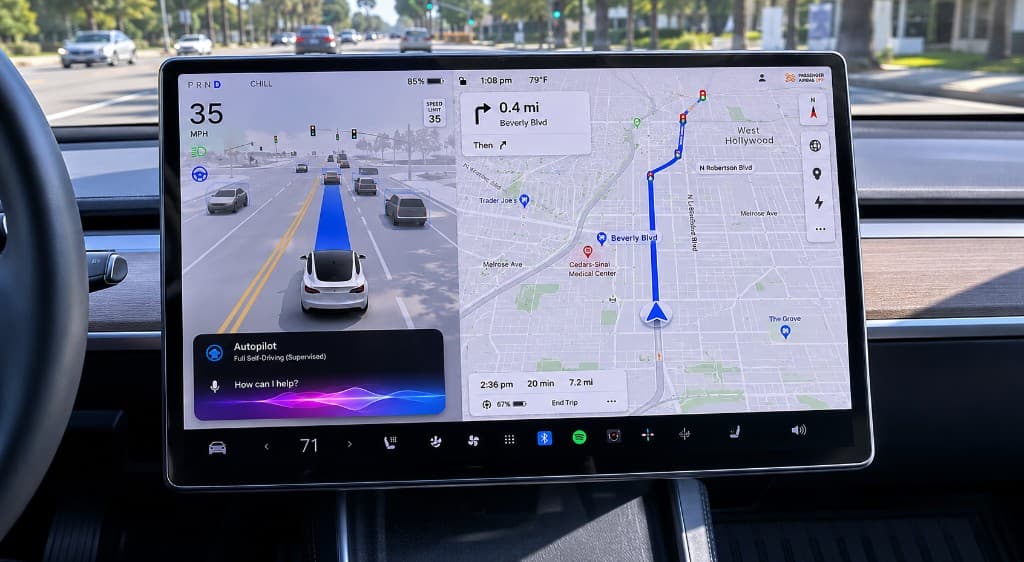
That makes the dashboard the strictest usability lab in consumer software, and it explains why the whole industry arrived here at once, from Apple putting Siri AI in CarPlay to Tesla shipping Grok in its cars. When the graphical interface is not available, what is left is intent, and intent is the thing voice was always best at carrying.
The car does not make voice useful. It makes it obvious.
The same constraint applies at your desk, quietly
Here is the part that gets missed. The trailhead problem is not a driving problem. It is the shape of most of your working day.
You are writing a proposal and you need the number from a Slack thread last Tuesday. You are on a call and you need the line item from an email. You are in code and you need the config value someone posted in a channel you muted a month ago. Every one of those is the trailhead question: one fact, in an app you are not currently in, from a conversation you half remember.
At a desk the cost is hidden, because the fallback exists. You leave the document, find the app, search a phrase you are guessing at, scroll, copy, switch back, and spend a few seconds remembering what you were writing. It takes forty seconds and it happens twenty times a day. Nobody counts it, because unlike in a car, nothing bad happens. You just get less done and feel busier.
Which is why the interesting thing about Siri AI in CarPlay is not the car. It is that Apple built the ask-and-get-the-answer pattern for the one environment where the old way was obviously unacceptable. The old way is not fine at your desk either. It is just survivable.
What that looks like on a Mac or a PC today
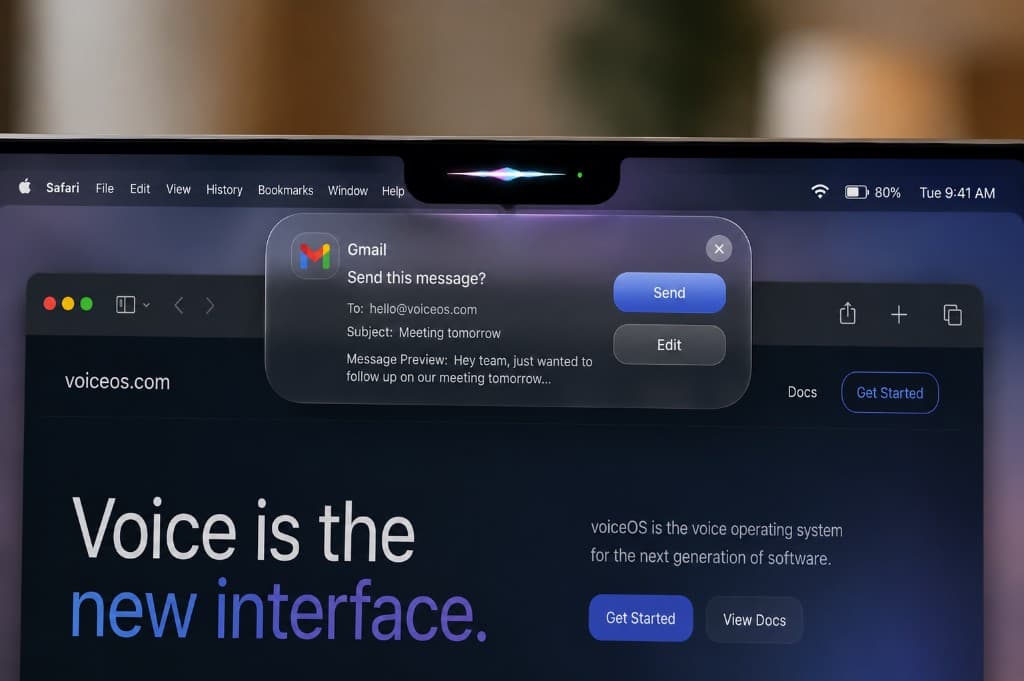
You do not have to wait for iOS 27, or own an iPhone 15 Pro, to work this way. That is what we build. VoiceOS is a voice layer for the computer you already use, on macOS and Windows.
Hold a key and ask. Get the answer read back, or get it done: send the message, draft the reply, pull the number out of last week's thread, search the web, open the app, add the calendar event. It works across the apps you already have rather than one company's, and it can see what is on your screen when the request needs that context.
The design goal is the one the car imposes by force. One request, one turn, back to what you were doing. Nothing to open, nothing to scroll, no tab to lose your place in.
The car proved the pattern. There is no good reason to only get it while you are driving.
Sources
- Apple: Apple Intelligence and Siri
- Apple Newsroom: Apple introduces Siri AI, a profoundly more capable and personal assistant
- MacRumors: Apple Announces New CarPlay Features on iOS 27
- Auto Express: Huge Apple CarPlay update revealed
- NHTSA: Distracted Driving Dangers and Statistics
- AAA Foundation for Traffic Safety: Measuring Cognitive Distraction in the Automobile II
Frequently Asked Questions
What is Siri AI in CarPlay?
It is the rebuilt Siri, running on the next generation of Apple Intelligence, made available through CarPlay in iOS 27. The difference from the CarPlay Siri you have today is that it holds a real conversation, answers general knowledge questions, and can pull facts out of your own messages, mail, and calendar. Apple's example is asking which trailhead a friend suggested and getting the answer instantly.
Which iPhones support Siri AI in CarPlay?
An iPhone 15 Pro or later, running iOS 27. A standard iPhone 15 does not qualify, because Apple Intelligence requires the newer chip. Your car does not need to be upgraded, and CarPlay itself keeps working as before on older phones.
Do I need a new car?
No. You need a car with CarPlay. Apple notes that CarPlay is standard or optional on many cars from 2016 onward, that some manufacturers offered software updates for earlier models, that some models support it only in certain configurations, and that availability varies by region. The intelligence lives on the phone, so the car does not have to change.
When does Siri AI in CarPlay launch?
iOS 27 went into developer beta after WWDC in June 2026, with a public beta in July and general release expected in September. Apple describes Siri AI as launching in English, in beta, later this year, so treat the first release as a beta rather than a finished product.
Does it work with wireless CarPlay?
Yes. iOS 27 also includes reliability improvements for wireless CarPlay connections, which is a separate fix from the Siri work.
What languages are supported, and what about the EU?
English first, with Apple listing Japanese, Chinese, French, German, Italian, Korean, Spanish, and others to follow. In the European Union, reporting points to Digital Markets Act complications delaying parts of the rollout, so expect it later there than in the US.
Can Siri AI read and reply to my messages while I drive?
Reading messages aloud and replying by voice already worked in CarPlay. What changes is the quality of the reply and what you can do after it. You can ask a follow-up, ask Siri to find something related in the same thread, and keep one conversation going instead of starting from zero on every request.
Can it really search my own texts and email?
That is what Apple calls personal context understanding, and it is exactly what the trailhead example demonstrates. It is also the feature Apple previewed in 2024, delayed, and then rebuilt, so it is fair to judge it on the shipped version rather than on the demo.
Is it private?
Apple runs requests on the device where it can and sends the rest to Private Cloud Compute, which Apple says does not store your data and can be independently verified. That is a stronger claim than most of the industry makes, and it is worth reading Apple's own description of it rather than a summary.
Is hands-free driving with a voice assistant actually safe?
Safer than a phone in your hand, but not free. AAA Foundation research found mental workload stays elevated for up to 27 seconds after a voice task, and more than 40 seconds of distraction for jobs like programming navigation. The variable that matters most is how many turns a request takes. One question and one answer costs far less attention than a six-step voice menu.
Can I get this kind of assistant on my Mac or PC?
Yes, today. VoiceOS is a voice AI for macOS and Windows. Hold a key, ask, and get an answer or an action inside the apps you already use. It does not require iOS 27 or new Apple hardware, and it is not limited to one company's apps.
Drive the rest of your day the same way
VoiceOS turns speech into answers and actions across your Mac or Windows desktop.