
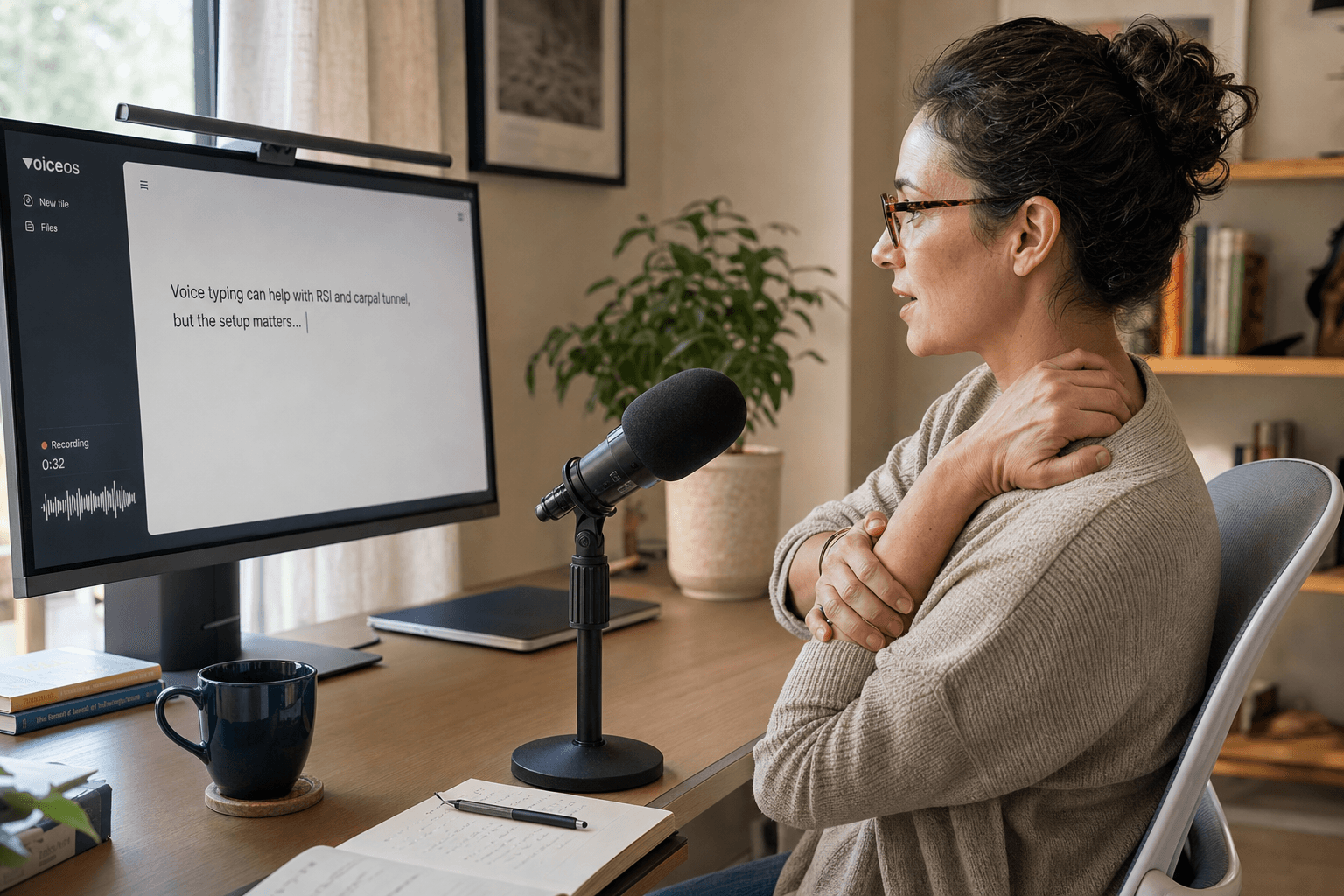
What RSI and Carpal Tunnel Actually Are
Repetitive strain injury (RSI) is a broad, non-clinical term for pain from repeated movement of a body part, most often the shoulders, forearms, wrists, hands, and fingers, and the NHS lists typing among its common triggers alongside hairdressing, assembly work, and racket sports. Carpal tunnel syndrome (CTS) is a more specific, diagnosable condition: compression of the median nerve in the wrist, which MedlinePlus (the U.S. National Library of Medicine) links to wrist injuries, health conditions like diabetes and pregnancy, and repetitive hand motion generally, not typing specifically.[3] [2]
Sources & further reading: Repetitive strain injury (RSI) · Carpal Tunnel Syndrome
Why Voice Typing Is a Recognized Workplace Accommodation
The Job Accommodation Network (JAN), the U.S. Department of Labor-funded resource employers and employees use to work out disability accommodations, lists voice-to-text and speech recognition software as a standard accommodation for cumulative trauma conditions, including carpal tunnel syndrome and tendinitis. Separately, CDC's National Institute for Occupational Safety and Health (NIOSH) names sudden or sustained force, repetitive motion, vibration, and awkward postures as the core contributors to work-related musculoskeletal disorders. Voice typing addresses the repetitive-motion piece directly: dictating a sentence uses your vocal apparatus instead of dozens of individual keystrokes, cutting finger-specific repetition without cutting the work you produce.[1] [4]
It doesn't remove every risk factor. You'll likely still use a mouse or trackpad for navigation, clicking, and scrolling, and an awkward desk setup contributes to strain regardless of how you produce text. Voice typing is one accommodation among several NIOSH and JAN both describe, not a replacement for an ergonomic workstation.[4] [1]
Sources & further reading: Cumulative Trauma Conditions · About Ergonomics and Work-Related Musculoskeletal Disorders
The Hold-to-Talk Catch Most Buying Guides Skip
Here's a detail that matters more for hand pain than for anyone else: most dictation software, including tools built into major operating systems, activates with a held key. You press a modifier, keep it down for as long as you're speaking, and release it when you stop. For a five-minute dictation, that means sustaining a muscle contraction in your hand for the entire time you're talking, and sustained force is one of the exact contributors CDC/NIOSH names as a driver of musculoskeletal strain. A dictation tool that cuts keystrokes but asks you to hold a key down the whole time hasn't removed the sustained-load problem, it's moved it.[4]
VoiceOS's Dictation Mode defaults to that same hold-to-talk pattern (hold the shortcut, speak, release), but it also ships a separate Hands-free shortcut that works differently: press it once to start recording, speak normally with nothing held down, then press it again to stop, or hit Escape to cancel. Switching your default trigger from hold-to-talk to Hands-free is the single setup change in this guide that most directly answers the sustained-load problem above. As of this writing, that Hands-free behavior is documented in VoiceOS's in-app shortcut settings rather than spelled out on the public dictation feature page, so confirm your own shortcut under Settings, General, Shortcuts before relying on it.
Two ways to trigger VoiceOS Dictation Mode
Scroll horizontally to read all columns →
| Hold-to-talk (default) | Hands-free | |
|---|---|---|
| How you start it | Hold the shortcut down | Press the shortcut once |
| How you stop it | Release the shortcut | Press the shortcut again, or press Escape |
| Muscle load while speaking | Sustained hold for the whole dictation | None, hands can rest |
Sources & further reading: About Ergonomics and Work-Related Musculoskeletal Disorders
Setting Up Hands-Free Dictation Step by Step
- Open the main VoiceOS window, go to your account menu, choose Settings, then the General tab, and find the Shortcuts section.
- Set your Dictation trigger to Hands-free instead of the default hold-to-talk shortcut, and note the key combination shown (defaults vary by platform and may have been changed on your machine).
- Click into whatever you're writing, press the Hands-free shortcut once, speak at a normal pace, then press it again when you're done, or press Escape to cancel without inserting anything.
- On the Dictation tab, set Polishing to Light or Polished so you don't have to speak punctuation aloud; None keeps your words exactly as spoken if you'd rather clean up formatting yourself.
- Save phrases you repeat often, a sign-off, a status update, a standard reply, as Replacements, so future dictations need fewer total words spoken, not just fewer keystrokes typed.
If you also use VoiceOS's Agent Mode, actions like opening an app, searching the web, or sending a message you dictate the content of can cut some of the clicking and window-switching around your writing too, though Agent Mode still can't type into a text field for you, that's what Dictation Mode is for. The two modes are meant to be used together, not as substitutes for each other.[5]
Sources & further reading: VoiceOS Dictation feature page
What Voice Typing Can't Fix
- It isn't a diagnosis or a treatment. If pain persists, worsens, or includes numbness that doesn't go away, see a doctor or occupational therapist; NHS guidance recommends professional support when RSI symptoms persist rather than relying on any single tool.
- It doesn't replace an ergonomic workstation. NIOSH's risk factors, sustained force, repetitive motion, vibration, and awkward posture, aren't fully solved by changing how you produce text; wrist position, chair height, and monitor placement still matter.
- It doesn't remove mouse and trackpad use. Navigating, clicking, and scrolling still load the hand unless you also reduce those, and voice typing alone won't do that.
- Recognition accuracy varies with accent, background noise, and microphone quality, unbenchmarked here, and a single VoiceOS dictation currently warns at four and a half minutes and stops on its own at five, so very long uninterrupted dictations need to be split up.
Sources & further reading: Repetitive strain injury (RSI) · About Ergonomics and Work-Related Musculoskeletal Disorders
Try It This Week
The lowest-risk way to test this is small: switch your Dictation trigger to Hands-free, pick a handful of emails, docs, or messages you'd normally type this week, and dictate them instead while keeping a normal typing session as your baseline for comparison. Review VoiceOS Pro pricing and billing terms before running that comparison yourself.[6]
Sources & further reading: VoiceOS Pricing
Sources and methodology
Last updated .
Read VoiceOS's public Dictation feature and pricing pages, and VoiceOS's internal Dictation Mode and shortcut documentation, to confirm the hold-to-talk default, the separate Hands-free toggle shortcut, Polishing tiers, and Replacements. Read official sources: the NHS page on repetitive strain injury, MedlinePlus's (National Library of Medicine, NIH) page on carpal tunnel syndrome, the Job Accommodation Network's Cumulative Trauma Conditions page, and CDC/NIOSH's ergonomics and work-related musculoskeletal disorders overview, to ground the medical and workplace-accommodation claims. No first-party dictation or symptom testing was performed. Limitations: No first-party test measured whether voice typing reduces RSI or carpal tunnel symptoms for any individual reader; that would require a controlled clinical study this guide does not attempt. MedlinePlus states researchers aren't certain long-term typing causes carpal tunnel syndrome in the first place, so voice typing is presented as reducing hand-specific repetitive motion, not as a proven treatment or cure. Recognition accuracy varies by accent, noise, and microphone and is unbenchmarked here. This is not medical advice; readers with persistent or worsening pain should see a doctor or occupational therapist rather than relying on a software change alone.
- Cumulative Trauma Conditions — Job Accommodation Network (JAN)
- Carpal Tunnel Syndrome — MedlinePlus (National Library of Medicine, NIH)
- Repetitive strain injury (RSI) — NHS
- About Ergonomics and Work-Related Musculoskeletal Disorders — CDC / NIOSH
- VoiceOS Dictation feature page — VoiceOS
- VoiceOS Pricing — VoiceOS
Frequently asked questions
Does voice typing cure or prevent carpal tunnel syndrome?
No. MedlinePlus (NIH) states researchers aren't even certain that long-term typing or computer use causes carpal tunnel syndrome in the first place, so there's no basis for claiming voice typing prevents or cures it. What it does is reduce the repetitive finger motion your hands do to produce the same amount of writing, one workplace accommodation among several, not medical treatment.[2]
Is voice-to-text software actually a recognized accommodation for RSI or carpal tunnel?
Yes. The Job Accommodation Network, the U.S. Department of Labor-funded resource on workplace accommodations, lists voice-to-text and speech recognition software as a standard accommodation for cumulative trauma conditions such as carpal tunnel syndrome and tendinitis.[1]
Do I have to hold a key down the whole time I'm dictating with VoiceOS?
Not necessarily. VoiceOS's default Dictation shortcut is hold-to-talk (hold it, speak, release), but VoiceOS also has a separate Hands-free shortcut that starts on one press and stops on a second press, so nothing needs to stay held down for the length of the dictation. Check Settings, General, Shortcuts to see or change which mode your Dictation trigger uses.
Will voice typing let me stop using my keyboard and mouse completely?
No. Dictation Mode replaces typing specifically; it doesn't eliminate clicking, scrolling, or navigating with a mouse or trackpad. Pairing it with VoiceOS's Agent Mode for actions like opening apps or sending messages can reduce some of that, but Agent Mode can't type text into a field for you, that's still Dictation Mode's job.[5]
Is there a time limit on a single VoiceOS dictation?
Yes. A single dictation currently warns at four and a half minutes and stops on its own at five, so a very long piece of writing needs to be dictated in more than one pass.
What should I do if my hand pain doesn't improve after switching to voice typing?
See a doctor or occupational therapist. The NHS specifically recommends professional support, physiotherapy or occupational therapy, when RSI symptoms persist, and this guide isn't medical advice or a substitute for a diagnosis.[3]
Try Hands-Free Dictation on Your Next Work Session
Choose VoiceOS Pro and switch your Dictation shortcut to Hands-free so you can write without holding a key or touching the keyboard.
Explore VoiceOS Pro