
Two questions matter after dictation
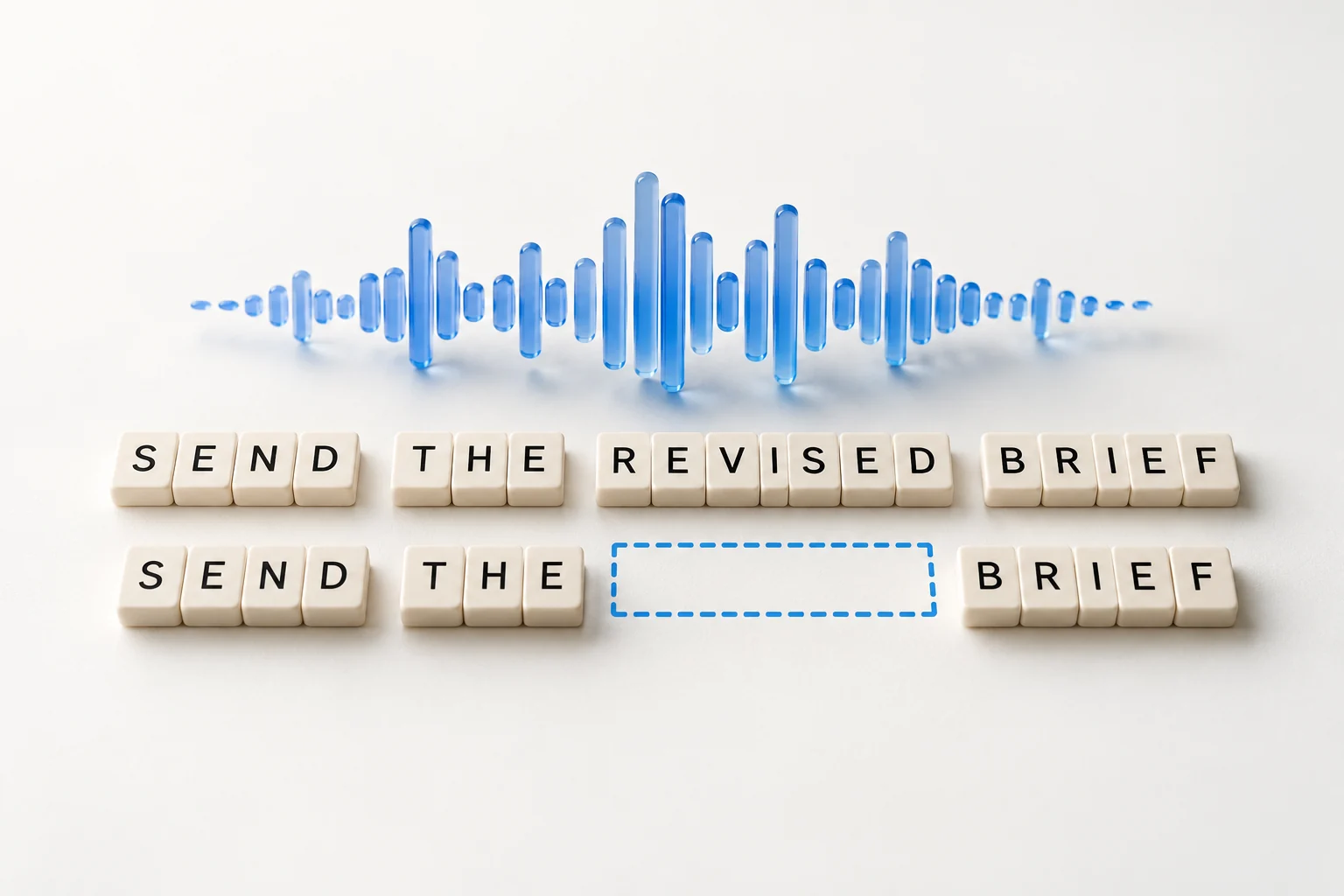
A dictation result can contain the right words and still leave you work to do. You may need to repair a name, split one long paragraph, turn a spoken list into bullets, or separate an email’s greeting from its body. Word error rate alone cannot describe that experience.
- How much do I need to edit after the text is pasted? Measure required corrections, formatting repairs, and the time until the draft is ready to use.
- How easy is the original output to understand? Check whether readers can find the actions, deadlines, and main point without reorganizing the text.
This guide proposes a practical evaluation method. The examples and calculations below are illustrative, not measured results for VoiceOS or competing apps. Report editing effort and readability separately, alongside checks that the meaning stayed right.
Start with the text in the real destination
Use a small set of tasks you actually write: a short reply, a multi-paragraph email, a list of actions, meeting notes, names and numbers, and a sentence you correct while speaking. Keep the audio, a human-checked transcript, and a short brief describing what the finished message should communicate.
Save the first result exactly as it lands in the destination app, before any editing. Keep plain text for word comparisons and a screenshot or rich-text copy for paragraph breaks, lists, and spacing. A well-formatted preview is not enough if pasting into Gmail, Slack, or a document flattens it into one block.
Use the same destination, input, and relevant settings for each candidate. Record whether paragraph and list formatting was explicitly requested or inferred by the app. Test those cases separately: following “new paragraph” and recognizing a natural topic change are different capabilities.
Define “ready to use” before the test: correct facts and intended meaning, complete content, and an appropriate structure for the destination. Ask writers to make the minimum necessary fixes. Log optional personal rewrites separately so one reviewer’s style preferences do not become another product’s error count.
Measure the editing left after paste
Start the post-paste clock when the first output is fully inserted in the intended field. Stop when the writer accepts it as ready to send or save after review. Keep recognition and insertion latency as separate timings; this measurement is specifically the work left after the paste.
Scroll horizontally to read all columns →
| Measure | How to record it |
|---|---|
| Ready without edits | Count attempts accepted with no text or formatting changes and passing the task checks. Divide by all eligible attempts; failed insertions do not count as successes. |
| Word edits per 100 accepted words | Compare the first pasted text with the minimally corrected text. Count the minimum word insertions, deletions, and substitutions, then divide by the final word count and multiply by 100. |
| Formatting repairs | Record paragraph splits or joins, list conversions, indentation fixes, and email-layout repairs separately. Define an action consistently, such as one paragraph break or one list conversion. |
| Time until ready | Record review time, active correction time, and total elapsed post-paste time. Keep the total even when a draft needs no edits: the user still has to check it. |
For example, eight word edits in a final 100-word draft means 8 edits per 100 accepted words. If the writer also inserts two paragraph breaks and converts a block into a list, record three formatting repairs. If review takes 20 seconds and corrections take 40 seconds with no idle time, the post-paste total is 60 seconds. These are example calculations, not product scores.
For the word comparison, document tokenization and normalization. An English baseline can split on whitespace, retain case and punctuation attached to words, and exclude layout markup. Keep the original formatting separately. A word diff misses line-break repairs and cannot tell you how many keystrokes, undo operations, or voice-edit attempts the user actually needed.
Do not turn edit distance into a time estimate. One replacement can be a quick typo fix or a slow investigation of a wrong number. For deeper studies, record correction actions with consent and label the reason: recognition, changed meaning, formatting, or optional preference.
NIST’s usability guidance combines task time, errors, completion, and user feedback. The measures here apply that approach to dictation; this particular scorecard is our proposed protocol, not a standardized dictation benchmark.[2]
Sources & further reading: Usability Testing
Check paragraphs, lists, and email structure
Evaluate the unedited first paste. A reader should be able to see where one idea ends, which items belong together, and what needs a response. Formatting belongs in the quality assessment because a word-correct blob can still need manual restructuring.
Same words. Different structure.
Single paragraph
Hi Alex, Here are the items for Friday: Send the revised brief. Confirm the launch date. Share the budget estimate. Please send everything by 3 pm. Thanks, Sam.
Paragraphs and a list
Hi Alex,
Here are the items for Friday:
- Send the revised brief.
- Confirm the launch date.
- Share the budget estimate.
Please send everything by 3 pm.
Thanks, Sam.
Both versions can have 0% WER against the same words when the scoring rules ignore whitespace and list markup. That score does not tell you which layout lets a reader find the three requests or the deadline more easily. Test that separately.
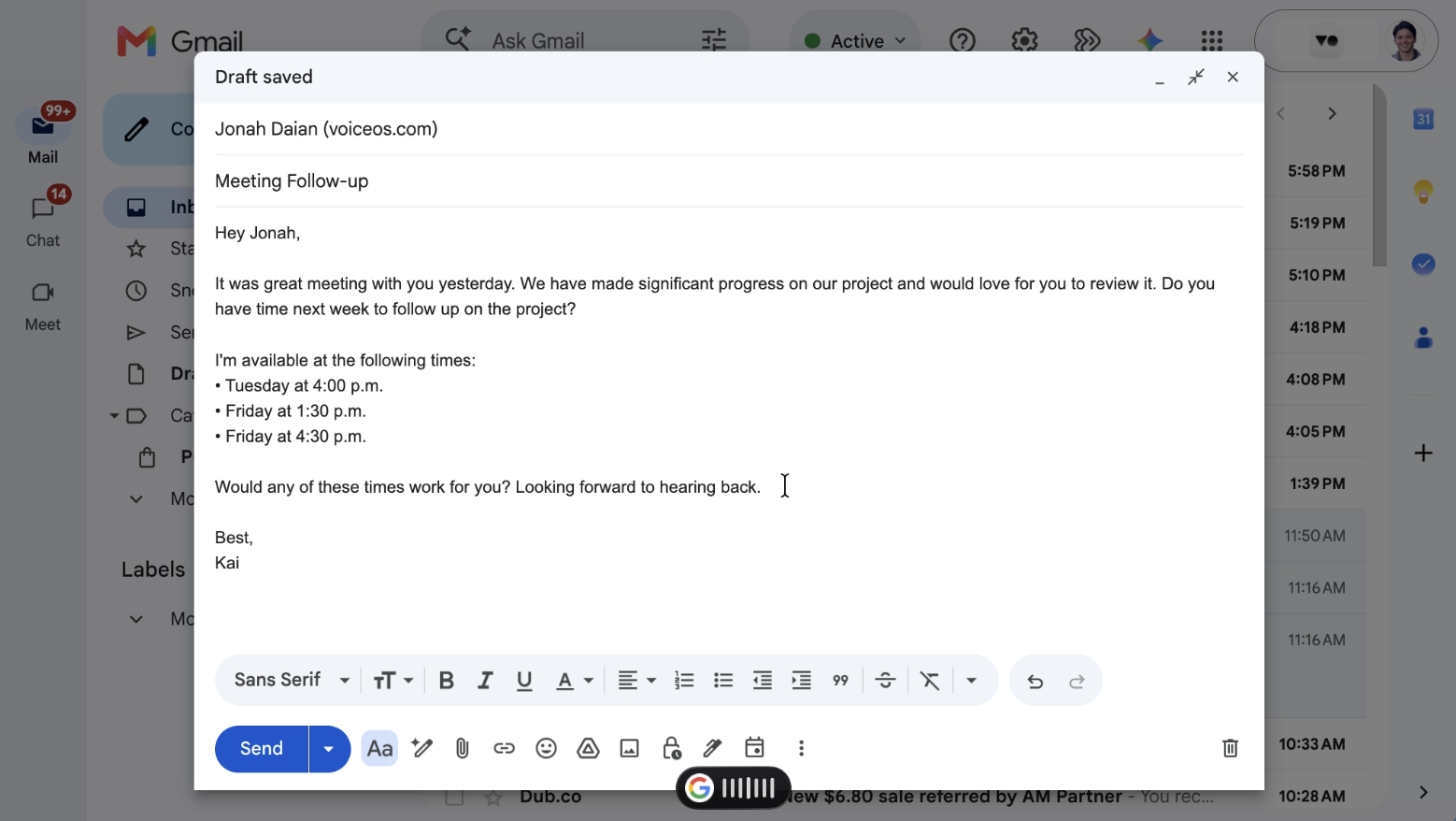
The revised Gmail draft below shows the structure to look for: separate paragraphs, meeting times as a list, and a clear sign-off. In your test, count the edits needed to reach a usable layout and time those repairs. Score the original first paste separately from the finished draft.
Scroll horizontally to read all columns →
| Check | What usable output looks like | What needs repair |
|---|---|---|
| Paragraphs | Related sentences stay together; topic changes start a new paragraph. | One dense block, or a line break after every sentence regardless of meaning. |
| Lists | A set of items is easy to distinguish; numbering appears when sequence matters. | Items run together, nesting is misleading, or bullets change the intended order. |
| Email layout | A dictated greeting, body, requests, and closing are separated appropriately. | The greeting or sign-off merges into the body, or the app invents an undictated subject or commitment. |
| Punctuation and headings | Sentence boundaries are clear; longer notes use headings only where the task calls for them. | Missing punctuation or decorative headings make a short message harder to read. |
| Destination rendering | The structure survives insertion into the actual app. | Bullets disappear, spacing collapses, or literal Markdown appears where rich text was expected. |
Choose the applicable checks before seeing the outputs. For each, use 2 = usable as pasted, 1 = understandable but needs a small repair, and 0 = missing or misleading structure that needs reworking. Mark irrelevant checks N/A, such as an email closing in a search query. Report the criteria individually; extra headings or bullets do not automatically make a draft better.
W3C’s page-structure guidance explains how meaningful headings and content organization support navigation and understanding. The general principle informs these checks; our 0–2 rubric is not a W3C rating or accessibility certification.[3]
Sources & further reading: Page Structure Tutorial
Measure how easily readers find information
A formatting checklist captures structure, but the reader’s task is the useful test. Give representative readers the unedited output in its real destination and ask questions with predefined answers. For the example above: “Which three things must Alex send?” and “When is everything due?”
Record time from showing the text and question to the submitted answer, then score whether the answer is correct and complete. Report time for correct responses alongside wrong-answer and timeout rates. A fast wrong answer is not a readability win. An ease rating can add context, but it should not replace the task result.
To isolate formatting, compare versions with identical words and different layout. To compare whole products, use their actual outputs and report wording or meaning differences too. Hide product names, randomize presentation order, and use different matched passages for repeat tasks so readers do not simply remember an answer they saw a moment earlier.
Keep writer correction effort separate from reader comprehension. The person who dictated a message already knows what it is meant to say; that can hide problems a recipient encounters. Recruit readers who reflect the intended audience, including their usual display and assistive settings.
Keep facts and meaning intact
Label changed names, dates, amounts, negations, and commitments separately. A missing “not” may be only one word error but reverse the instruction. A wrong product spelling may be harmless in a personal note and unacceptable in a customer message. Decide these categories before looking at which app wins.
Treat meaning as an acceptance requirement, not something attractive formatting can compensate for. Check names, dates, amounts, negations, commitments, and invented details against the task brief. A beautifully formatted email with the wrong deadline is not ready to use.
Report empty outputs, wrong insertion targets, retries, and timeouts as failures. A run that never reaches the text field has no post-paste completion time; record that failure rather than giving it zero seconds or silently removing it. If a recording is unusable, apply the same declared exclusion to every tool.
Use word error rate as a supporting measure
Word error rate is (substitutions + deletions + insertions) divided by the number of words in the reference. State the normalization rules before scoring: punctuation, capitalization, numbers, contractions, and tokenization can all change the result. Use the same rules for every candidate.[1]
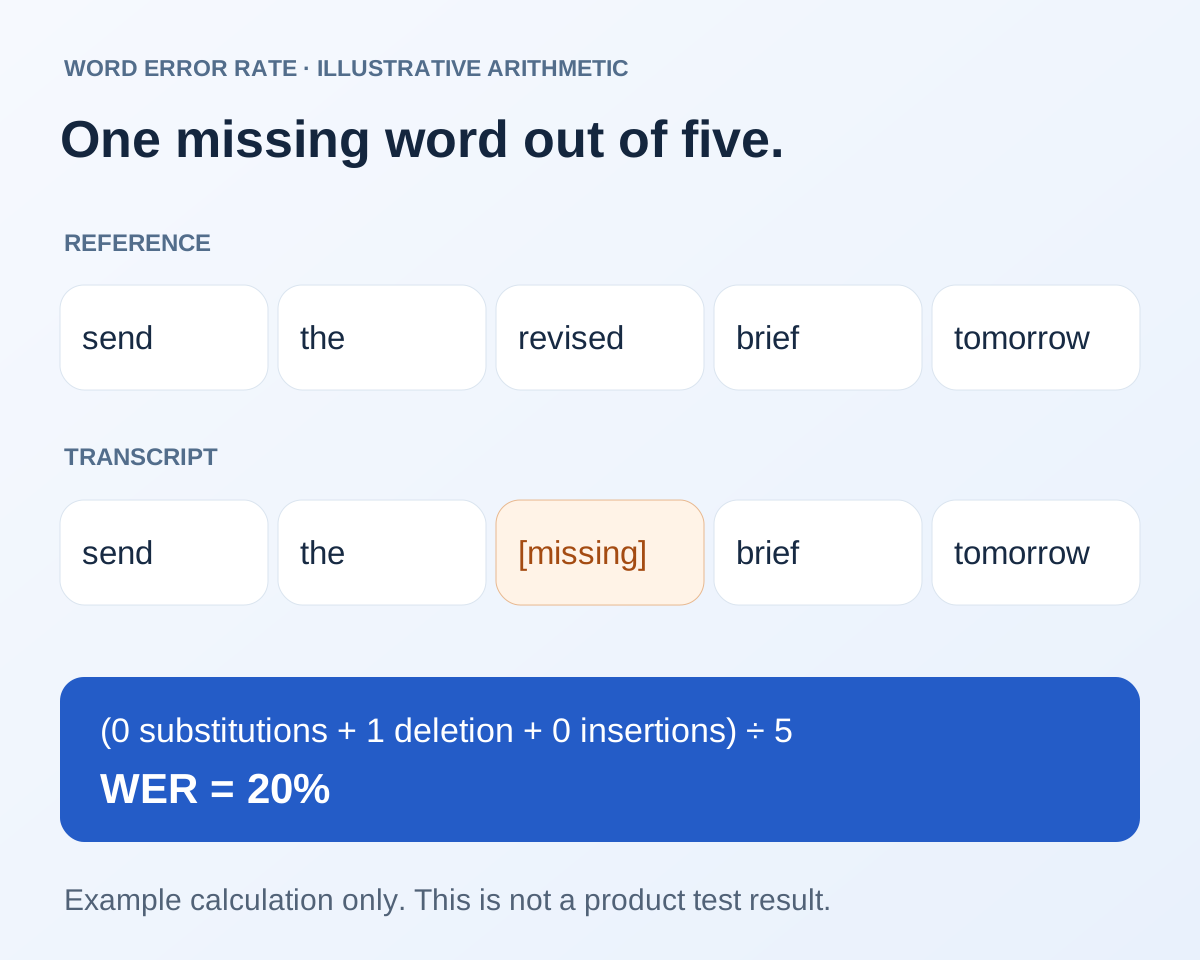
Illustrative example: the reference “send the revised brief tomorrow” has five words. If the output is “send the brief tomorrow,” one word is deleted, so the word error rate is 1 ÷ 5 = 20%. This is an arithmetic example, not a score for VoiceOS or another product.
For a combined result, sum errors and reference words across the test set before dividing. A simple average of sentence percentages gives a two-word command as much weight as a long paragraph. Report the aggregation you use. Keep the per-sample results so an overall number does not conceal a specific failure pattern.
Sources & further reading: Word Error Rate metric
Japanese and English need a more careful reference
A mixed-language sample might say: “明日のdesign reviewは午後3時です。FigmaのリンクをSlackで送ってください。” That is original sample text, not a tested transcript. It checks Japanese syntax, English product names, a time, and whether the output silently translates or transliterates terms.
Record the intended spelling of names and whether variants are acceptable. Japanese does not use spaces in the same way as English, so a word-level score depends heavily on the tokenizer. State the tokenizer and normalization, or add a character-level result with its own explicit rules. Keep exact-name and meaning checks alongside either metric.
Include several speakers and realistic language switches before making a bilingual accuracy claim. One carefully selected sentence cannot support “best Japanese dictation.” If the system is allowed to use a vocabulary list, give equivalent information to the other candidates or report that configuration difference.
Record results someone else can repeat
- Task and sample ID; product/app version; date; operating system, microphone, destination app, and recording permission.
- Mode, language, vocabulary, and formatting instructions; verbatim transcript and intended-message brief.
- First pasted text and rendered layout; final accepted text and layout; normalization and diff rules.
- Required word edits, formatting repairs, optional rewrites, review time, correction time, and total post-paste time.
- Acceptance without edits, meaning/fact checks, retries, insertion failures, and timed-out or unfinished runs.
- Structure ratings with N/A items; reader questions, correct answers, response times, and presentation order.
Report the number of writers, readers, samples, and attempts. Break results down by task: short replies, emails, lists, and longer notes. Show the share ready without edits, word edits per 100 accepted words, formatting repairs, and median correction and total post-paste times. Include the spread, and a 90th percentile only when the sample size supports a meaningful estimate.
Time summaries for completed runs must be labeled as such and shown beside failure counts. Keep readability results in a separate view: structure by criterion, correct-answer rate, and time for correct answers. Avoid combining everything into one “accuracy percentage” unless the weighting is declared and justified.
Publish permissioned samples and outputs when possible, and explain who chose them and which product you make or sell. A useful conclusion describes how much work remains and how readable the first paste is, with enough detail for someone else to repeat the test.
Sources and methodology
Last updated .
Uses the standard WER definition, NIST usability measures, and W3C structural guidance to propose separate post-paste editing and readability evaluations. The word-diff measure, 0–2 structure rubric, English examples, and Japanese sample are editorial proposals; no product results are reported. Limitations: No cross-product study has been run under this protocol. Illustrative arithmetic and formatting examples are not measured product outputs; edit distance does not substitute for observed effort, and a structure rubric does not establish reader comprehension.
- Word Error Rate metric — Hugging Face Evaluate
- Usability Testing — NIST
- Page Structure Tutorial — W3C Web Accessibility Initiative
Frequently asked questions
What should I measure beyond word error rate?
Measure two outcomes separately: the editing needed after the first paste, and how easily a reader can understand that unedited output. Track word changes, formatting repairs, time until ready, and acceptance without edits; then test structure and reader questions. Keep meaning and factual correctness as acceptance requirements.
How do I calculate the amount of editing after dictation?
Save the first pasted text and the minimally corrected version. Count word insertions, deletions, and substitutions, divide by the final word count, and multiply by 100 for edits per 100 accepted words. Record formatting repairs and actual correction time separately: a text diff cannot measure all the work.
Can an output have perfect WER and still be hard to read?
Yes. If scoring ignores whitespace and list markup, a dense paragraph and a structured email with identical words can have the same WER. Paragraph breaks, lists, and email layout therefore need their own checks in the destination app.
How can I test readability without relying only on opinion?
Give readers the unedited output and ask predefined questions about its actions, deadlines, or main point. Record correct-answer rate and time, plus failures and timeouts. Use identical words when isolating formatting, and vary passages and order to limit learning effects.
Are these measured results for VoiceOS or other apps?
No. This is a proposed evaluation protocol with illustrative calculations and examples. A product ranking requires actual runs, declared settings, recorded outputs, and results under the same conditions.
Can English WER compare Japanese dictation fairly?
Not without specifying how Japanese text is segmented and normalized. Add character-level and exact-name checks, and inspect whether mixed-language meaning is preserved. Report post-paste effort and readability in the intended language as well.
Start with one real task
See how VoiceOS handles dictation, editing, and supported app actions on Mac and Windows.
Explore VoiceOS