
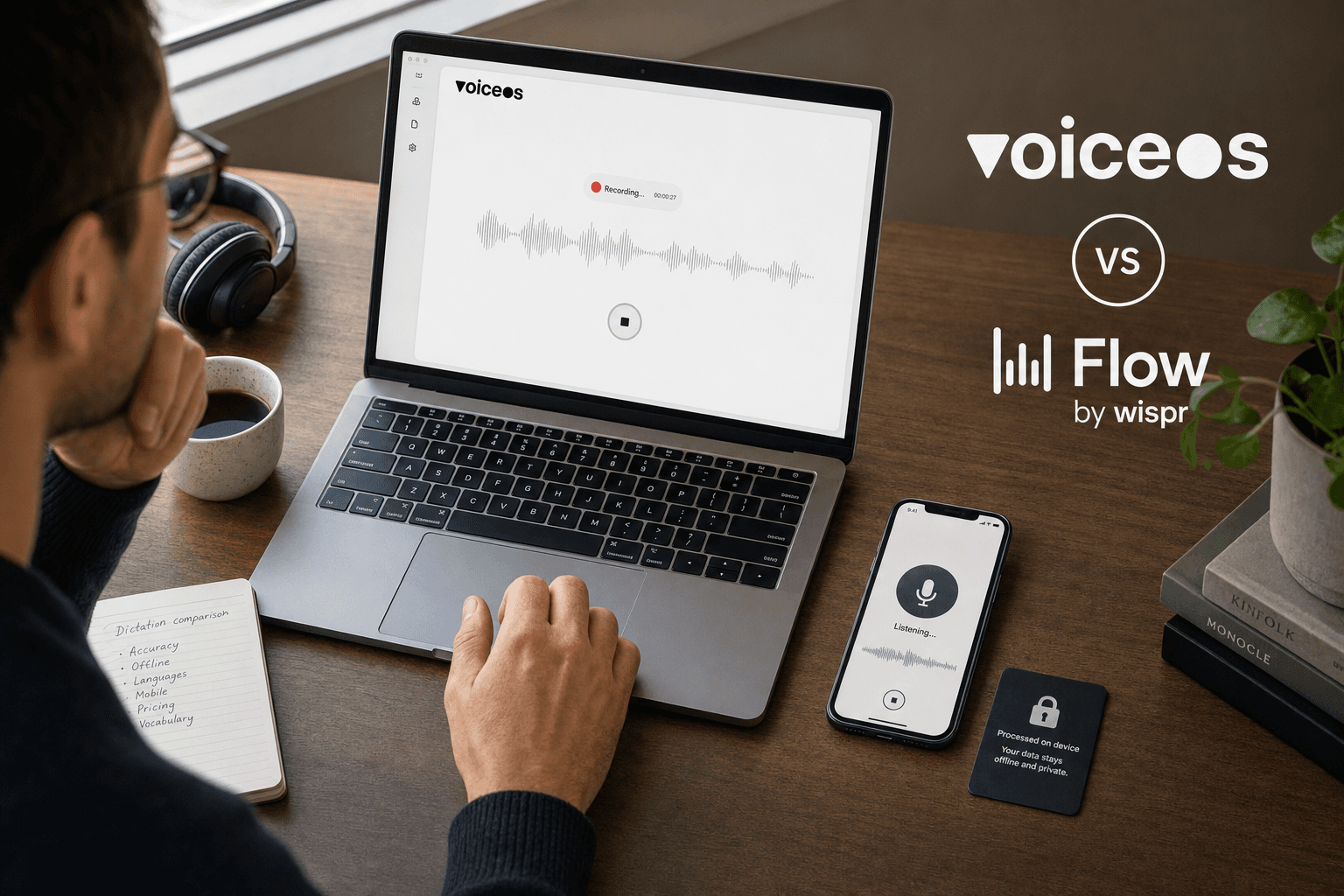
TL;DR: Wispr Flow vs Superwhisper vs VoiceOS
- Pick Superwhisper if privacy and offline dictation matter more than anything else — its local Whisper and Parakeet models now run free on macOS.
- Pick Wispr Flow if you dictate as much on your phone as your laptop — it's the only one of the three with a native Android app today.
- Pick VoiceOS if what slows you down isn't typing the reply, it's everything after — sending it, scheduling it, filing it.
How We Evaluated These Three Tools
We compared Wispr Flow, Superwhisper, and VoiceOS against the same seven criteria: accuracy approach, processing latency, offline capability, language coverage, custom vocabulary tools, pricing, and platform reach. Every factual claim about Wispr Flow and Superwhisper below comes from their own pricing pages, help-center docs, or changelog, fetched directly on 2026-08-31 — never from a third-party ranking site. VoiceOS claims come from its own public feature and pricing pages. We did not run our own timed tests of any product, and neither competitor publishes a word-error-rate or millisecond latency figure on their marketing pages, so we do not rank the three on accuracy or speed with invented numbers. Where a claim is one company's own marketing language rather than an independently verified number, we say so.[1] [6] [10]
Accuracy Approach: Cloud Models vs On-Device Models
The two competitors take opposite bets on where transcription happens. Wispr Flow processes dictation in the cloud and layers AI cleanup on top, and its own help docs note that non-English transcription is 'not yet as accurate as English,' with per-session (not per-word) language detection. Superwhisper runs a family of local Whisper and Parakeet models directly on the device — Apple Silicon Macs handle the largest local models, Windows runs mid-size models the company describes as 'accurate enough for daily dictation,' and users can also opt into cloud models for maximum accuracy. VoiceOS uses cloud processing for both Dictation Mode and Agent Mode; it has no offline or on-device transcription option today.[3] [7] [13]
Processing Speed: What Each Company Actually Claims
Wispr Flow's only public speed claim is a typing-speed comparison, not a transcription latency figure: it says users dictate at roughly 220 words per minute versus a 45 wpm typing baseline. Superwhisper does not publish a latency or word-error-rate number on its marketing pages; the closest it comes is describing mid-size local models as 'quick.' VoiceOS does not publish a dated, reproducible latency benchmark for this comparison either. Because none of the three offers a same-conditions, dated measurement, we're not turning any of these into a milliseconds ranking — that would mean inventing a number.[2] [7]
Offline and Local Processing: Superwhisper's Real Strength
This is where Superwhisper is unambiguously ahead of the other two. Its local Whisper and Parakeet models run entirely on-device on Mac, Windows, and iPhone, and in offline mode 'the model loads onto your machine, your audio goes straight into it, and the text comes back out' — no internet connection required, no account needed for the offline tier. As of its August 26, 2026 changelog, Superwhisper made every local Whisper model free on macOS. An on-device cleanup model, S1-mini, shipped August 19, 2026, so even the text-formatting step can run without a network request. Neither Wispr Flow nor VoiceOS offers an offline or local-processing mode; both require an internet connection for dictation.[7] [8] [13]
Mobile Availability: Wispr Flow's Real Strength
Flip the offline comparison around and Wispr Flow leads on mobile. It ships native apps for both iPhone and Android, with the free tier capped at 1,000 words per week on iPhone and, during its current beta promotion, unlimited words on Android. Superwhisper's mobile presence is iOS only — its own site lists macOS, Windows, and iOS as supported platforms, with no Android app. VoiceOS is desktop-only today: Mac and Windows, with iOS listed as 'coming soon' on VoiceOS's own competitor comparison pages and no committed release date.[1] [6] [14]
Language Coverage and Auto-Detection
All three claim 100+ supported languages, but the details differ. Wispr Flow picks one language per dictation session (not per word), supports regional variants like British and Canadian English or Swiss German, and states plainly that non-English transcription isn't yet as accurate as English. Superwhisper also lists 100+ languages and dialects and can translate any of them to English, with English again described as its strongest language. VoiceOS's own comparison pages list '100+ languages with dialects' for both Dictation Mode and Agent Mode. None of the three publishes a dated, per-language accuracy benchmark, so treat 'strongest in English' as the one consistent, sourced signal across all three.[3] [6] [14]
Custom Vocabulary and Dictionary Tools
Wispr Flow's dictionary learns automatically: correct a misspelling once and Flow adds it going forward, and teams on a Business plan can share a team dictionary of names, jargon, and product terms. Superwhisper's vocabulary tool works differently — words you add become recognition hints that give matching phrases a boost during transcription, plus separate replacement rules for consistent post-transcription corrections, with CSV import for bulk lists. VoiceOS separates the same idea into two settings: Spelling, for names, jargon, and technical terms that should be recognized and spelled correctly, and Replacements, up to 100 saved phrase-to-text expansions per user, with a shared set available on Team plans.[4] [9] [11]
Pricing Models Compared
| Plan | Wispr Flow | Superwhisper | VoiceOS |
|---|---|---|---|
| Free tier | 2,000 words/week desktop, 1,000/week iPhone, unlimited Android (beta) | Unlimited dictation with local Whisper models on macOS, 100+ languages, up to 3 custom modes | No free plan for new signups; 7-day trial requires a card, nothing charged for 7 days |
| Individual paid plan | $15/mo, or $12/mo billed annually | $8.49/mo, or about two months free billed annually | $29.99/mo, or $143.88 billed annually (~$12/mo) |
| Team / Enterprise | From $18/user/mo (annual) or $23/user/mo (monthly); SSO, org-wide HIPAA enforcement | Custom Enterprise pricing; SOC 2 Type II certified, centralized billing, model access control | Team plan available; shared dictionary and billing controls |
Wispr Flow vs Superwhisper vs VoiceOS at a Glance
| Dimension | Wispr Flow | Superwhisper | VoiceOS |
|---|---|---|---|
| Accuracy approach | Cloud-only, per-session language detection | On-device Whisper/Parakeet by default, optional cloud models | Cloud-only |
| Offline / local processing | No | Yes, on Mac, Windows, and iPhone | No |
| Mobile apps | Native iOS and Android | Native iOS only | None yet (iOS listed as coming soon) |
| Custom vocabulary | Auto-learning dictionary, team sharing on Business plan | Recognition-hint vocabulary + replacement rules, CSV import | Spelling list + up to 100 Replacements, Team-shared set |
| Actions beyond text | None — dictation only | None — dictation only | Agent Mode: confirmed actions across Gmail, Slack, Calendar, Notion, and more |
| Starting paid price | $15/mo | $8.49/mo | $29.99/mo |
Where Each Tool Actually Wins — and Where It Doesn't
- Superwhisper's honest edge: real offline privacy and a generous free tier, but it stops at text — there's no way to turn a transcript into a sent message or a calendar event from inside the app.
- Wispr Flow's honest edge: the best mobile dictation of the three, with native Android and iPhone apps, but the same limit applies — it produces clean text and stops there, and non-English accuracy lags English by the company's own admission.
- VoiceOS's honest limit: no offline mode and no mobile app yet, so a Superwhisper user who specifically needs private, connectivity-free dictation, or a Wispr Flow user who dictates mostly from their phone, is better served by staying put.
The Step After Transcription: What VoiceOS Adds
Wispr Flow and Superwhisper both stop once the words land in a text field. VoiceOS's Dictation Mode does the same job — cleaning up filler words, punctuation, and formatting — but VoiceOS also has a second mode, Agent Mode, for the step that comes after: acting on what was just said. Hold the Agent Mode shortcut and say 'reply to that Slack message saying I'll have it by 3,' or 'put lunch with Sarah on my calendar tomorrow,' and VoiceOS previews the action and asks for confirmation before it sends, schedules, or otherwise touches an external app — it doesn't act on meaningful requests silently. That confirmed-action layer reaches VoiceOS's first-party App Store integrations (Gmail, Outlook, Slack, Google Calendar, Google Drive, Notion, Linear, Jira, and more, with a further Mac-only set including iMessage, Apple Mail, and Reminders), and can chain several of those actions in one request. Neither Wispr Flow's snippet library nor Superwhisper's custom modes reach outside the text field they're dictating into.[12] [14]
Verdict: Which One Should You Actually Get?
There's no universal winner here because the three products optimize for different things. If offline privacy is a hard requirement — you dictate sensitive material, you're often without a connection, or you just don't want audio leaving your machine — Superwhisper is the honest pick, and its free tier now includes locally-run models on macOS at no cost. If most of your dictation happens on your phone as much as your laptop, Wispr Flow's native Android and iOS apps currently beat what either competitor offers on mobile. If your real bottleneck isn't typing the message but everything that happens after — sending it, scheduling it, filing it into the right app — VoiceOS is built for exactly that gap, provided you're working from a Mac or Windows desktop and don't need offline processing.[7] [1] [12]
Sources and methodology
Fetched Wispr Flow's pricing, homepage, features, and two help-center articles, and Superwhisper's homepage, offline-transcription page, changelog, and vocabulary docs directly via automated web fetch on 2026-08-31; cross-checked VoiceOS claims against its own public pricing, dictation, agent, and competitor-comparison pages. No third-party ranking or affiliate site was used as a source for factual claims about either competitor. Limitations: No hands-on testing of any product was performed, and no independently reproduced, same-conditions latency or word-error-rate benchmark exists across all three, so this comparison does not rank accuracy or speed numerically. Superwhisper's exact annual Pro price could not be confirmed from a clean official fetch, so it's described qualitatively (monthly price plus a stated 'two months free' annual discount) rather than as an unverified number. No compliant Superwhisper brand asset exists yet under landing-page/public, so comparisonBrands includes only VoiceOS and Wispr Flow; add landing-page/public/posts/dictation-tools/superwhisper.png before publish so the visual brand strip matches the three-way comparison in the body.
- Wispr Flow Pricing — Wispr Flow
- Wispr Flow — Effortless Voice Dictation — Wispr Flow
- Use Flow with Multiple Languages — Wispr Flow Help Center
- Teach Flow Your Words with the Dictionary — Wispr Flow Help Center
- Wispr Flow Features — Wispr Flow
- Superwhisper — AI Voice to Text for macOS, Windows and iOS — Superwhisper
- Offline Speech to Text: Private On-Device Transcription — Superwhisper
- Superwhisper Changelog — Superwhisper
- Vocabulary — Superwhisper Docs — Superwhisper
- VoiceOS Pricing — VoiceOS
- VoiceOS Dictation Mode — VoiceOS
- VoiceOS Agent Mode — VoiceOS
- VoiceOS vs SuperWhisper — VoiceOS
- VoiceOS vs Wispr Flow — VoiceOS
- VoiceOS Security — VoiceOS
Frequently asked questions
Is Wispr Flow or Superwhisper more accurate?
Neither company publishes a directly comparable word-error-rate benchmark, and we didn't run our own head-to-head accuracy test, so there's no independently verified answer. What is verified: Wispr Flow processes in the cloud and says non-English accuracy trails English; Superwhisper runs local models by default with an option to switch to cloud models for higher accuracy.[3] [7]
Does Superwhisper work without an internet connection?
Yes. Superwhisper's local Whisper and Parakeet models run entirely on-device on Mac, Windows, and iPhone, and its offline tier needs no account and sends no audio off the device. As of its August 26, 2026 changelog, all local Whisper models are free on macOS.[7] [8]
Is Wispr Flow available on Android?
Yes, Wispr Flow has a native Android app, currently offering unlimited weekly words as part of a beta promotion, compared with a 1,000-word weekly cap on the iPhone free tier. Superwhisper has no Android app; VoiceOS has no mobile app yet.[1] [6]
How much do Wispr Flow, Superwhisper, and VoiceOS cost?
Wispr Flow Pro is $15/month or $12/month billed annually. Superwhisper Pro is $8.49/month, with an annual plan the company advertises as two months free. VoiceOS Pro is $29.99/month or $143.88 billed annually (about $12/month), with a 7-day free trial that requires a card but charges nothing during the trial.[1] [6] [10]
What does VoiceOS do that Wispr Flow and Superwhisper don't?
VoiceOS matches both on dictation, then adds Agent Mode: after previewing and confirming, it can send the email, reply to the Slack message, or add the calendar event the dictated text was actually for, chaining several of those actions in one spoken request across its first-party app integrations.[12]
Can VoiceOS work offline like Superwhisper?
No. VoiceOS's Dictation Mode and Agent Mode both require an internet connection today; it has no offline or on-device transcription mode, which is the one area where Superwhisper is clearly ahead.[13]
Try VoiceOS free for 7 days
See what happens after the transcript. VoiceOS includes the same kind of dictation as Wispr Flow and Superwhisper, plus Agent Mode for the emails, Slack replies, and calendar events that used to mean switching apps. The trial needs a card but nothing is charged for 7 days.
Start your free trial