
The short answer
The assistant should be part of your computer, not another place to visit
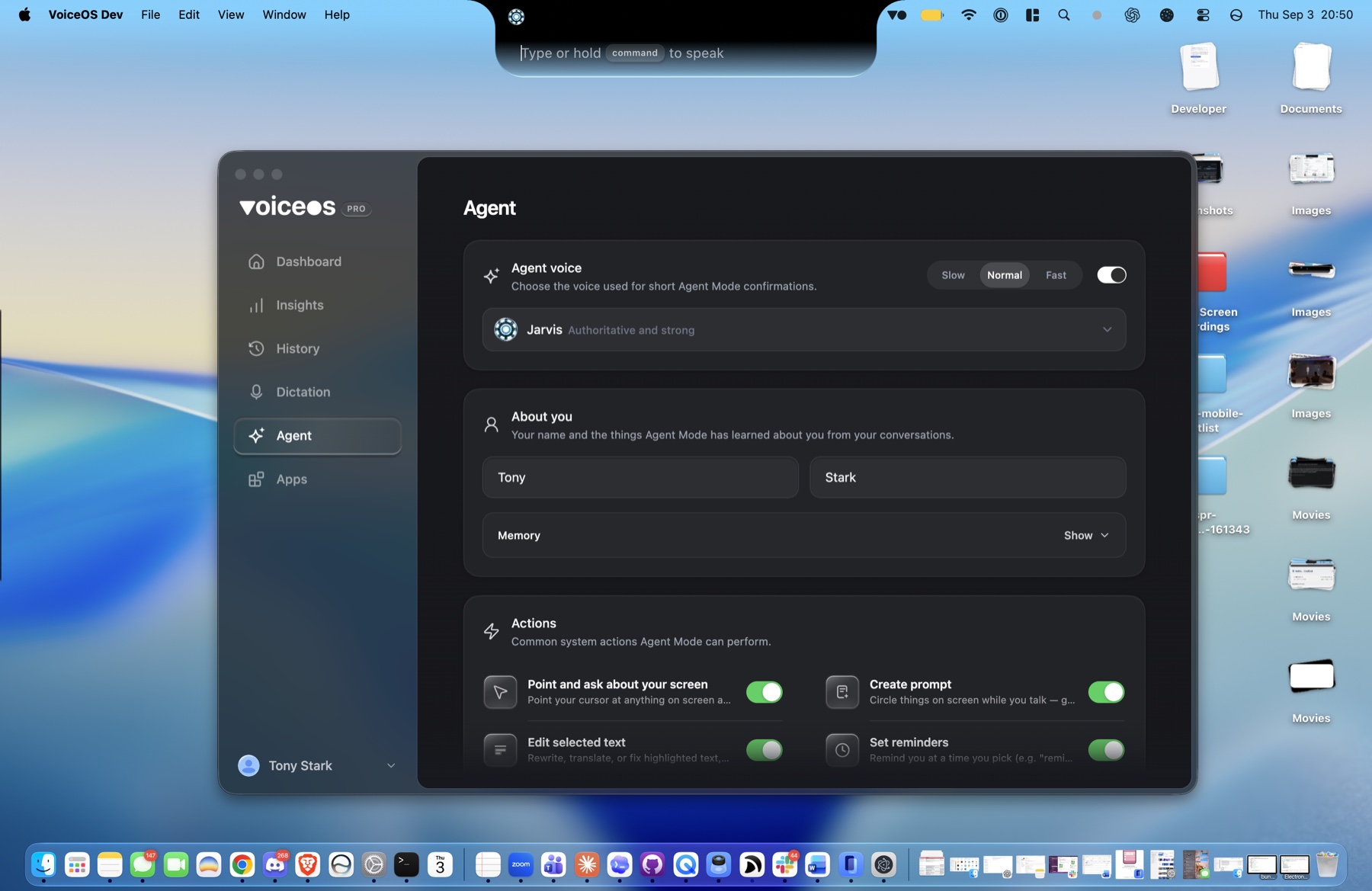
VoiceOS is an AI assistant that lives in the notch of your Mac and works across the rest of your computer. Hold your trigger, say what you want, and keep your attention on the work in front of you. VoiceOS understands the request, selects the right connected app, and brings the confirmation or result back to the notch.
That means you can say “Send Priya the latest proposal,” “Put lunch with Alex on my calendar,” or “Show me this month’s revenue” without opening three different interfaces first. You speak in outcomes. The assistant handles the software steps.
Why put an AI assistant in the notch?
Most AI assistants live in a tab. To use one, you stop what you are doing, find its window, copy in the context, wait for an answer, and carry that answer back to the app where the work began. The AI may be smart, but the interaction still makes you act as the courier.
The notch is different. It is already at the edge of your attention and outside the document, message, or dashboard you are working in. VoiceOS can stay quiet there until you call it, expand only when it has something useful to show, and disappear back into the hardware when the job is done.
This is more than a visual trick. It changes the assistant from a destination into a layer of the computer. You do not go to the AI. You invoke it from wherever you already are.
A spoken sentence can become a real action
Traditional voice software converts sound into text. That is useful, but the computer still waits for you to click the buttons. An agent goes one step further: it treats your sentence as an intent, works out which tool can satisfy it, and supplies that tool with the details it needs.
The request is expressed once, in the same language you would use with a colleague. VoiceOS carries it through the workflow without making you translate your own intent into menus, fields, and clicks.
One assistant across the apps you already use
The hardest part of modern computer work is often not the work itself. It is the coordination between apps. The document is in Drive, the conversation is in Slack, the commitment belongs in Calendar, and the follow-up becomes a reminder. You hold the whole chain in your head while moving information between windows.
VoiceOS provides one consistent interface over those separate tools. Connected VoiceOS apps and integrations give the agent specific abilities. Gmail can send an email. Calendar can create an event. Stripe can read revenue. A private MCP integration can reach software built only for your team.
Adding an integration does not give you another dashboard to learn. It gives the assistant in your notch another thing it can do.
What can you ask an assistant in your notch to do?
Start with requests where the desired result is clear. Name the person, time, file, or service when it matters. You do not need special phrasing; you only need to say enough for the outcome to be unambiguous.
Communication
“Tell Maya in Slack I’ll send the deck after lunch.”
VoiceOS prepares the message in the right conversation and lets you confirm it before sending.
Calendar
“Schedule 30 minutes with the design team tomorrow afternoon.”
The assistant turns the request into a calendar action instead of making you fill out a form.
Information
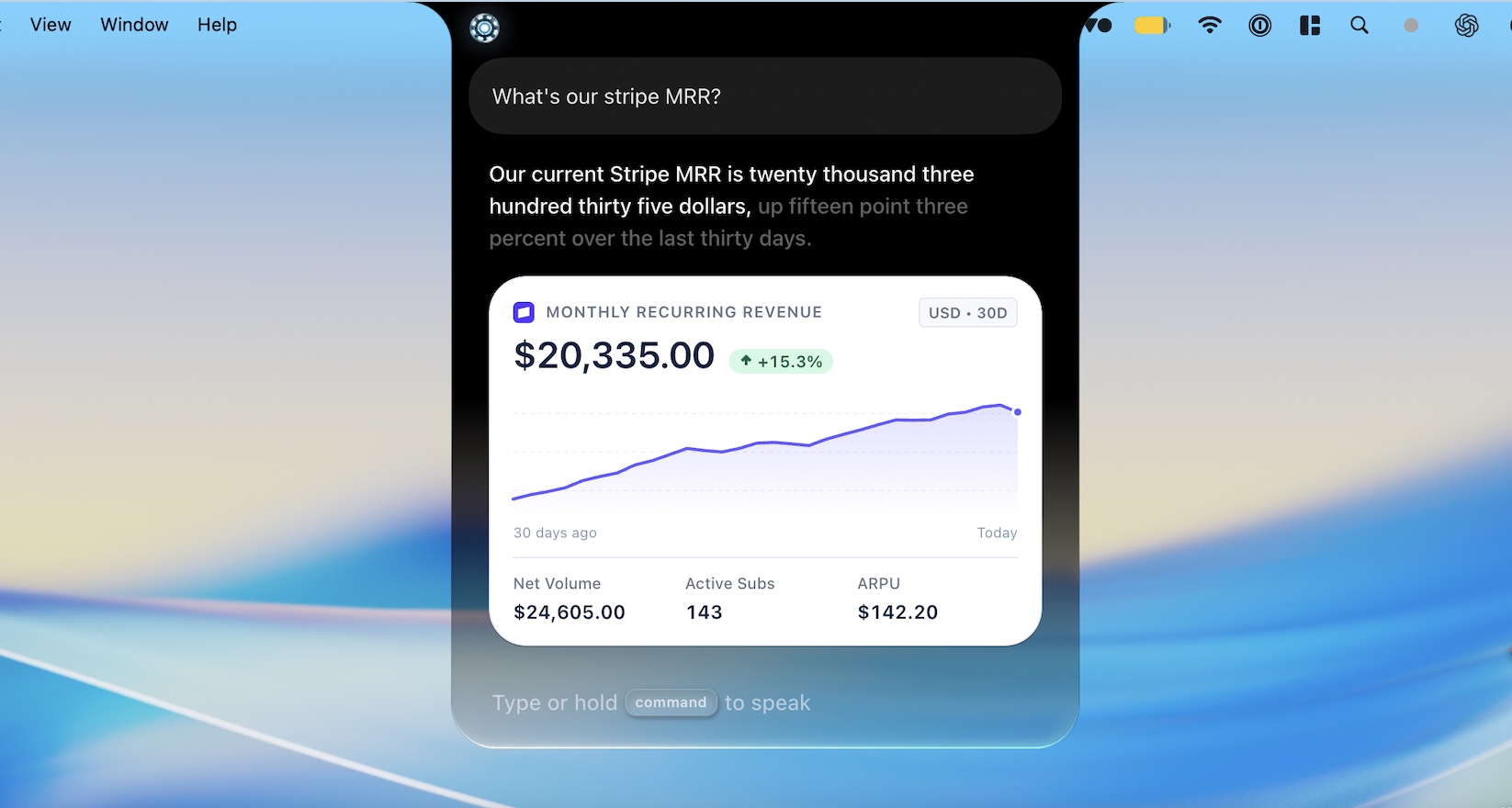
“How is monthly recurring revenue moving this month?”
A connected Stripe tool can answer and return a compact chart directly beneath the notch.
Multi-step work
“Summarize this, email it to Sam, and remind me to follow up Friday.”
One spoken outcome can coordinate several tools without making you carry context between tabs.
The set of actions grows with the tools you connect. You can use ready-made integrations, or build an MCP integration for your own API, command-line tool, database, or internal workflow.
The assistant acts, but you stay in control
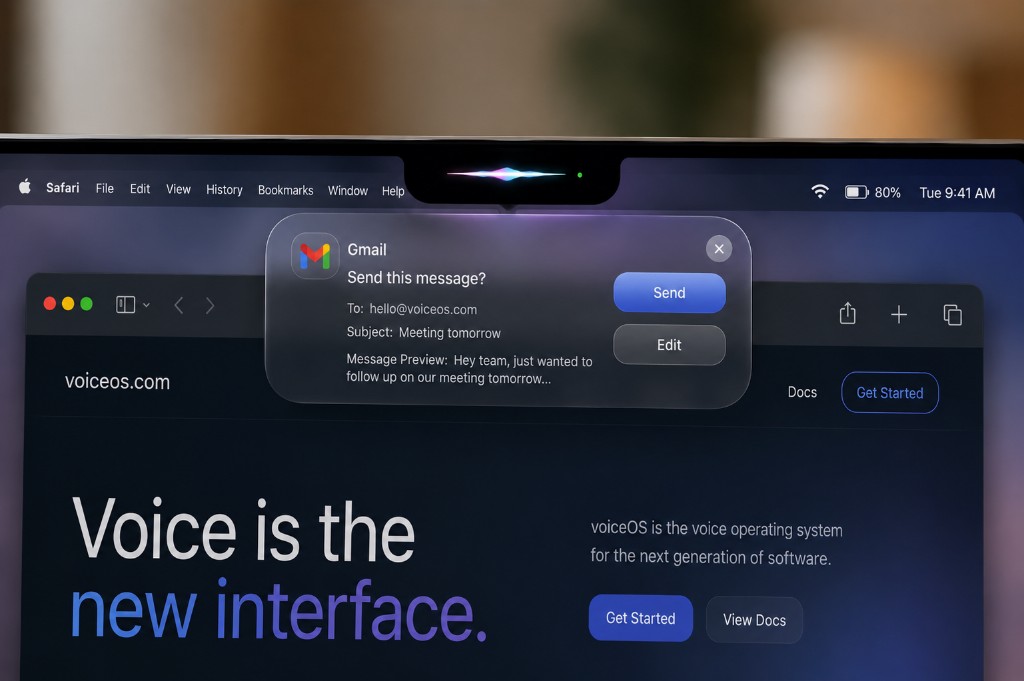
Speed matters, but so does knowing what will happen. A question such as “What is our revenue today?” can run immediately because it only reads information. A request such as “Send this forecast to the team” changes the outside world and deserves a moment of review.
VoiceOS can present the proposed action in the notch before it runs. Check the recipient, wording, time, or other important arguments, then confirm. The interaction stays compact without turning consequential actions into a black box.
This is what comes after dictation
Dictation makes the keyboard faster. A voice agent changes the unit of interaction. Instead of producing words and then operating software around them, you describe a result and let the computer coordinate the steps.
Both modes belong together. Sometimes you want exact control over a paragraph, so VoiceOS should place polished text at your cursor. Sometimes you want the paragraph emailed, the meeting scheduled, or the answer pulled from another service. Then Agent Mode should take over.
The keyboard and mouse remain excellent precision tools. The assistant in the notch adds something they cannot: a direct path from a spoken intention to an outcome across software.
Frequently Asked Questions
What is an AI assistant that lives in the Mac notch?
It is a system-wide assistant that stays available at the top of the screen instead of living inside a separate chat window. VoiceOS uses the notch as a compact place to listen, show progress, ask for confirmation, and return results while you keep working in the app underneath.
Can VoiceOS take actions in other apps?
Yes. Agent Mode can use connected apps and integrations to prepare or complete actions such as sending messages, creating calendar events, searching for information, or reading business data. The exact abilities depend on the apps and tools you connect.
Do I need to memorize voice commands?
No. VoiceOS is designed around natural language. Say the outcome you want and include the useful details, such as the person, app, time, or document. The assistant maps the request to an available tool.
Will it send messages or make changes without asking?
Actions with consequences can pause on a confirmation card. You can review important details before the action runs, while read-only questions can remain fast.
Does VoiceOS work on Windows?
Yes. VoiceOS works on Mac and Windows. On Mac it visually lives in the notch; on Windows it uses the same always-available, system-wide idea at the top of the screen.
How is this different from voice dictation?
Dictation inserts words where the cursor is. A voice agent interprets an outcome, chooses a connected tool, carries the relevant details into another app, and returns a result. VoiceOS includes both experiences.
Speak the outcome
Put an AI assistant in your notch
Use VoiceOS across Mac or Windows to dictate, ask, and take action in the apps where your work already lives.