Comparison
VoiceOS vs Clicky
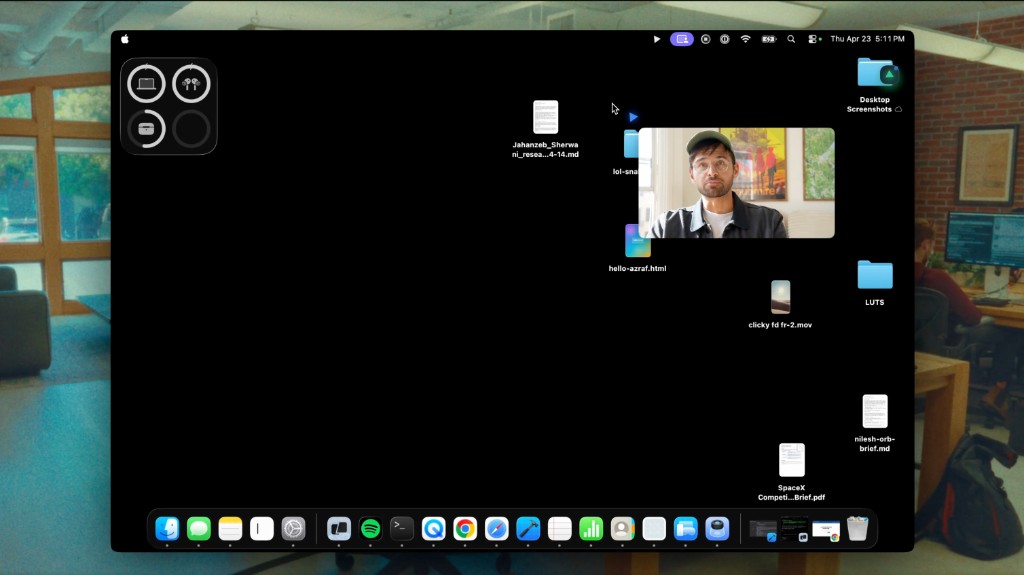
VoiceOS and Clicky both point at the same bigger shift: voice is moving from a faster way to type into a way to operate your computer. Clicky is especially interesting because it is not a random side project. It comes from Farza Majeed, the founder behind buildspace, a YC S20 company that raised a $10M round with a16z backing. When founders like that start building cursor-side voice agents, it is a clear signal that voice-to-action is heating up.
What they share
Both products use voice to make your computer feel more natural. Clicky sits next to your cursor, looks at your screen when activated, answers questions, and points you through unfamiliar apps. VoiceOS is built for everyday productivity: dictate anywhere, then use Agent Mode to send messages, create events, search the web, and act across your work tools by voice. Different approaches, same market momentum.
Where VoiceOS pulls ahead
VoiceOS is stronger when your goal is to turn voice into completed work across apps:
- AI dictation everywhere: VoiceOS turns speech into polished text in any app with filler removal, grammar cleanup, style adaptation, and custom vocabulary.
- Real app actions: Send Slack messages, reply in Gmail, create Google Calendar events, update Notion, manage Drive files, and work in Docs or Sheets by voice.
- Reliable chaining: Ask VoiceOS to search the web, use the result in an email, and create a follow-up calendar event. One command can span multiple tools.
- Team and enterprise readiness: VoiceOS includes shared dictionaries, knowledge bases, centralized billing, SSO, zero retention controls, and SOC 2 Type II compliance.
- Mac and Windows support: VoiceOS is available on both desktop platforms. Clicky is Mac-first, with Windows currently on a waitlist.
What about Clicky?
Clicky has a different and genuinely interesting angle, and the founder story makes it worth watching:
- Founder momentum: Farza Majeed previously built buildspace, backed by Y Combinator and a16z. In his own write-up, he says a16z first invested $2M after ZipHomeschool went viral, then later doubled down when buildspace raised $10M.
- Cursor-side guidance: Clicky can sit next to your cursor, look at your screen when triggered, and point at buttons, menus, and panels while explaining what to do.
- Learning unfamiliar tools: Its strongest examples are walkthroughs for apps like Figma, DaVinci Resolve, After Effects, Photoshop, and macOS settings.
- Open-source experimentation: Public coverage and the GitHub repo describe Clicky as open source and built around Claude, AssemblyAI, ElevenLabs, and a Cloudflare Worker proxy.
- Clicky Agent: The YC launch and homepage describe a newer agent mode for background research, building, and tasks like summarizing a PDF and emailing the result.
Why Clicky makes the voice AI space feel bigger
The interesting thing about Clicky is not just the product. It is who is building it and where it is launching. Farza is not entering voice AI from zero. Before Clicky, he built buildspace, a large builder community and YC company. The YC profile describes buildspace as a place where people give their ideas a shot, from software to music to films. Farza later wrote that a16z first backed his earlier ZipHomeschool path, then doubled down when buildspace raised $10M.
That matters because voice-to-action is no longer just a niche dictation category. Strong founders are starting to treat voice as the next consumer AI interface. Clicky is one version of that bet: a playful Mac companion that lives beside the cursor. VoiceOS is another: a production tool that turns speech into writing and real work across apps.
What Clicky actually does
Clicky is described on its official site as “an AI buddy that lives on your Mac.” It sits next to your cursor, sees what you see, and lets you ask questions out loud. The basic use case is immediate, screen-aware help: “How do I color grade this in DaVinci Resolve?” or “Teach me what this After Effects panel does.”
The YC launch expands the story beyond guidance. It says Clicky can connect to Notion, Gmail, and Calendar, help research IG micro-influencers, and even build Mac apps locally. The homepage uses examples like turning a Figma design into a working webpage, finding cameras under $1K, and summarizing a PDF before emailing it to a team.
Coverage from Lifehacker/Yahoo highlights the interface: Clicky can be triggered by keyboard shortcut, use temporary screen capture for context, point at menus and options, and respond by voice or text. That makes it feel less like a chatbot and more like a tiny guide living on top of the desktop.
Where VoiceOS fits in that momentum
Clicky validates the direction: people want AI that understands the screen and does things by voice. VoiceOS focuses that same insight on work. Instead of mainly guiding you through an interface, VoiceOS is designed to complete the task: dictate the message, send the Slack reply, create the Calendar event, update Notion, find information on the web, and chain those steps together.
That is the difference between “voice as help” and “voice as action.” Both matter. Clicky makes the category feel exciting because it shows consumer appetite and founder energy. VoiceOS makes it practical for daily productivity because it is built around the apps people already use to get work done.
Sources and further reading
The real enemy: context switching
This is why the category matters. The first wave of voice tools was dictation: faster typing. The next wave is voice-to-action: tell the computer what outcome you want, then let an agent operate across apps. Clicky shows one side of that future with screen-aware guidance and a playful Mac companion. VoiceOS focuses on the daily work layer: "reply to this Slack message, schedule the meeting, and send the doc" without leaving your current app.
Side by side
| Feature | VoiceOS | Clicky |
|---|---|---|
| Processing Speed | 300ms | Not specified |
| Accuracy | 98%+ with context | Not specified |
| AI dictation in every app | ✓ | ✗ |
| Voice Q&A over screen context | ✓ | ✓ |
| Cursor-side visual guidance | ✗ | ✓ |
| Agent Mode (voice-to-action) | ✓ | Clicky Agent |
| Multi-step action chaining | ✓ | Agent tasks |
| Web search from voice | ✓ | ✓ |
| Slack messages by voice | ✓ | ✗ |
| Gmail emails by voice | ✓ | ✓ |
| Google Calendar events | ✓ | ✓ |
| Notion pages by voice | ✓ | ✓ |
| Google Drive management | ✓ | ✗ |
| Google Docs and Sheets actions | ✓ | ✗ |
| Dictionary Terms | Automatic + manual | ✗ |
| Writing Style Personalization | ✓ | ✗ |
| Open source | ✗ | ✓ |
| Self-hostable API proxy | ✗ | ✓ |
| SOC 2 Type II | ✓ | ✗ |
| Team Features | Dictionary, knowledge base, billing | ✗ |
| macOS | ✓ | ✓ |
| Windows | ✓ | Waitlist |
| iOS | Coming soon | ✗ |
VoiceOS or Clicky?
Go with Clicky if you want a Mac-only, screen-aware AI tutor that can point at interface elements, explain creative tools, and you are comfortable with a young open-source project.
Go with VoiceOS if you want a daily productivity tool that combines fast dictation with voice-to-action workflows across Slack, Gmail, Calendar, Notion, Google Drive, Docs, Sheets, and the web. VoiceOS is built for turning speech into completed work.